When should I use the manual finance tracking feature?
The manual finance tracking feature should be used to track cash transactions or other one-off transactions that can’t be tracked via linked accounts or by importing a CSV.
How do I manually enter transactions?
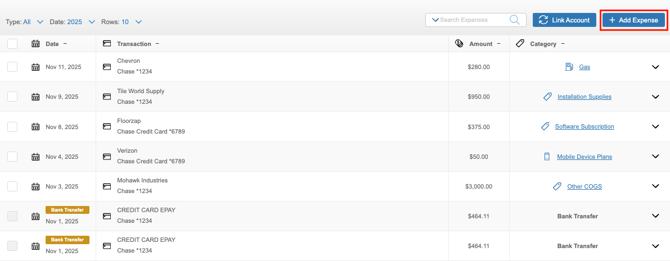
- Navigate to the section Accounting > Transactions > Money In or Money Out
- Click the ‘+Add Expense’ or ‘+Add Income’ button
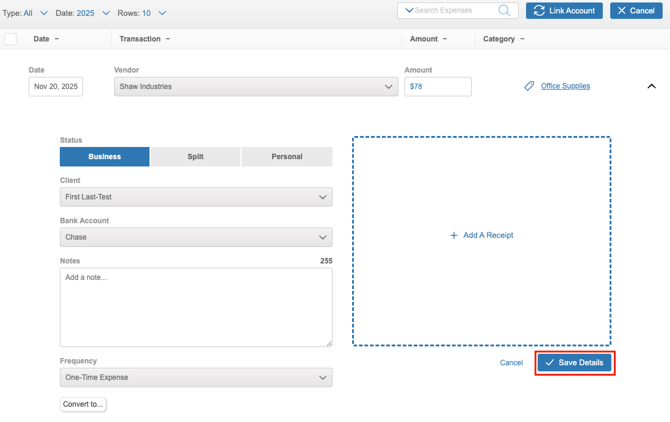
- Enter the transactions details
- Click the ‘Save Details’ button