
How can I check if my financial institution is supported?
You can search for your financial institution directly within Floorzap to see if it’s supported.
To search the list of supported financial institutions:
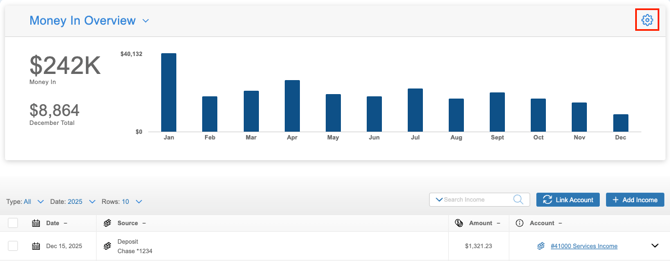
- Navigate to the section Accounting > Transactions > Money In or Money Out
- Click the gear icon
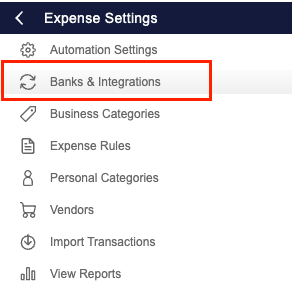
- Select ‘Banks & Integrations’
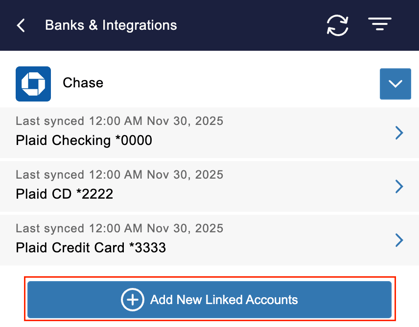
- Click ‘+Add New Linked Accounts’
- Select ‘Search Banks’
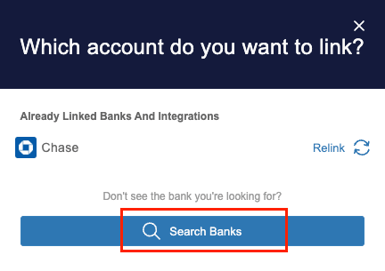
- Enter your financial institution’s name in the search bar

What if I don’t see my financial institution in the list?
If your institution doesn’t appear in the search results, it means it’s not currently supported. In these rare cases, you should notify Floorzap. They can confirm whether the institution is unsupported and inform you if support becomes available in the future.
How can I track my finances if my financial institution isn't supported?
If your institution isn’t supported, you can still track your transactions using alternative methods:
- Import your transactions using the CSV Import feature
- Manually add your business income and expenses