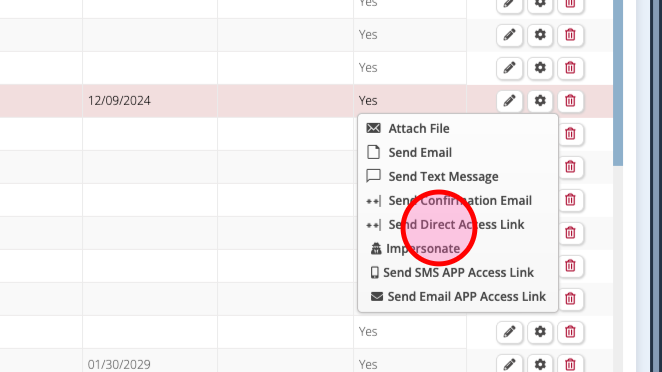
Follow these steps to send access links and help them get started quickly.
Step 1: Login to Floorzap and go to Settings.
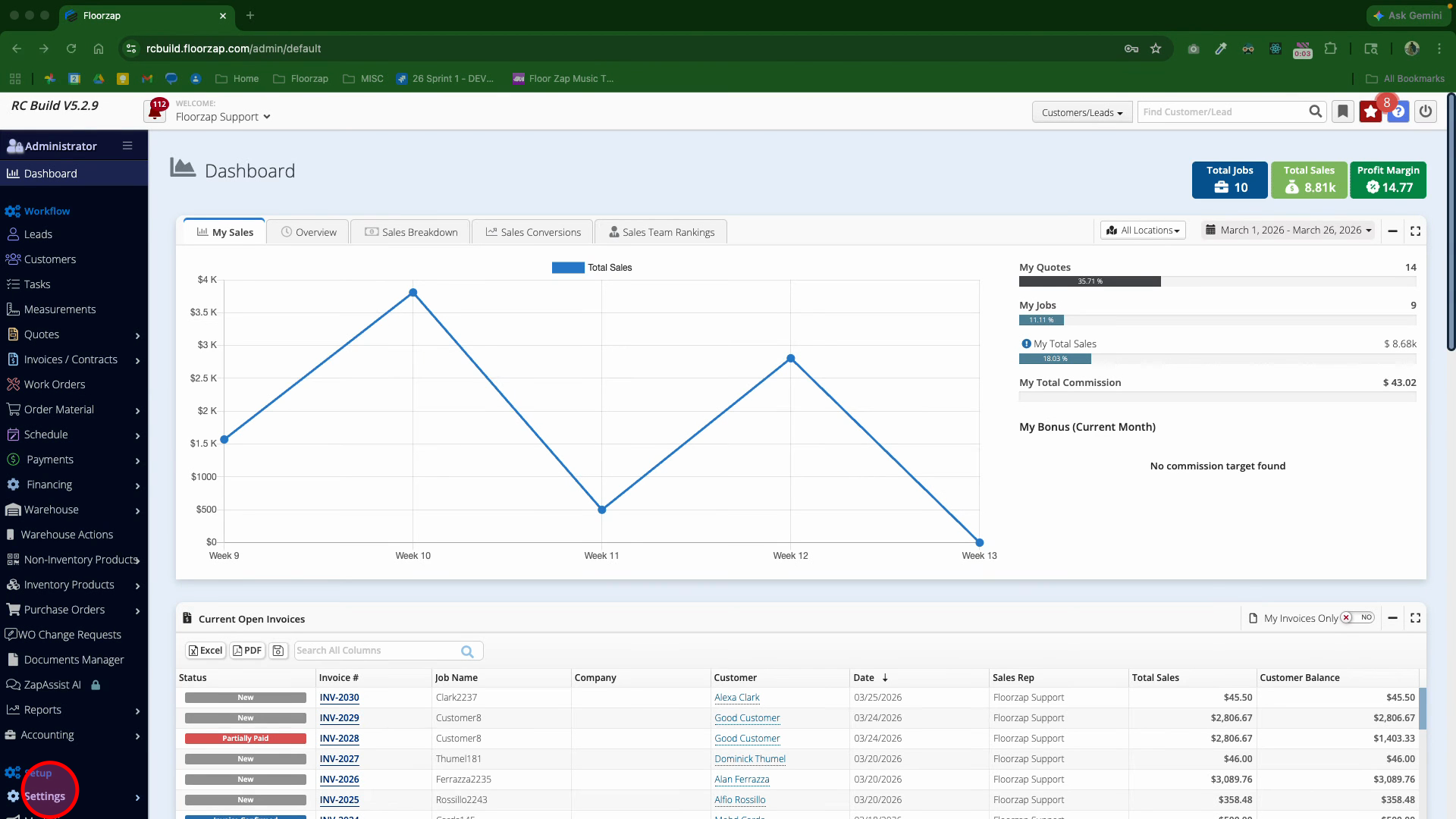
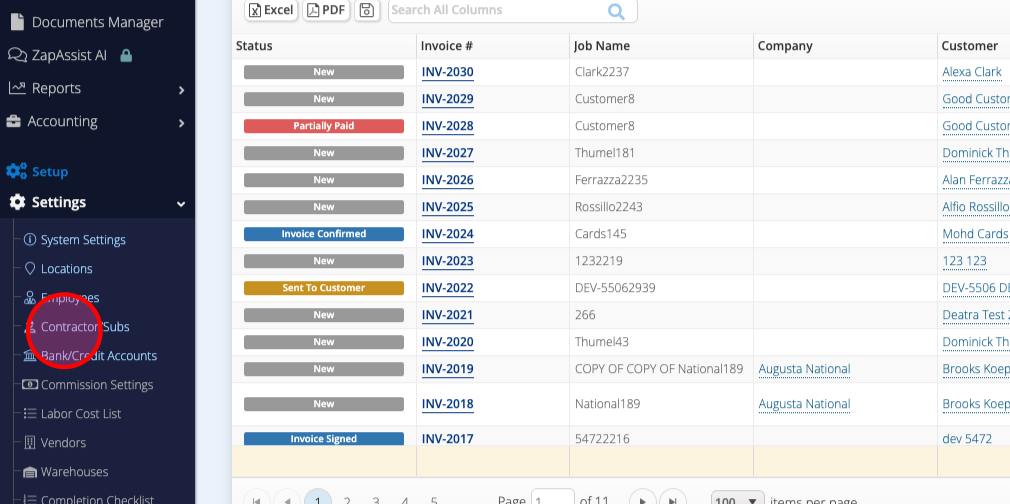
Step 2: Select Contractors and Subs.
Step 3: Find the contractor who needs access. Scroll right to locate their row.
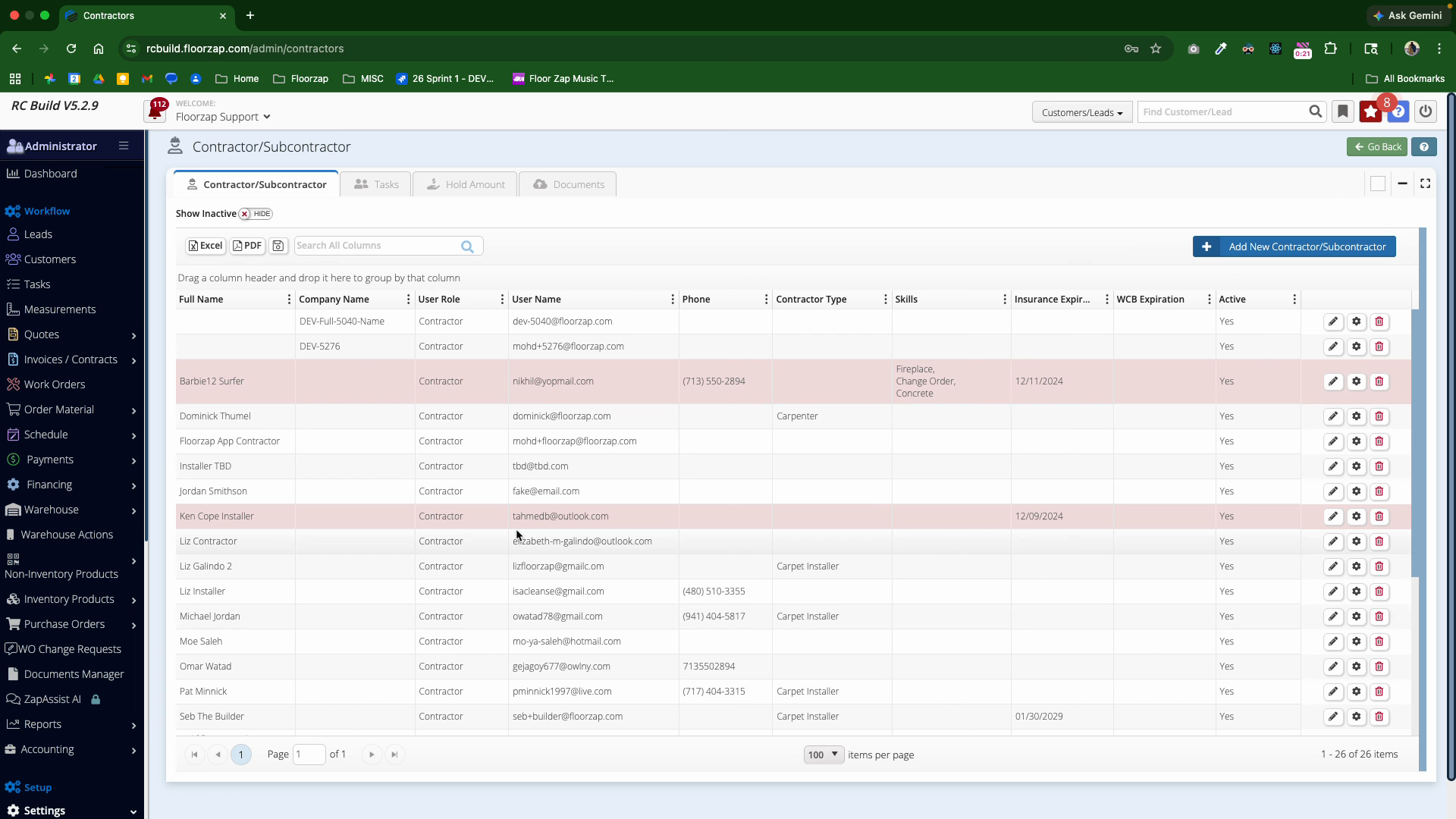
Step 4: Click the gear icon next to the contractor's name.
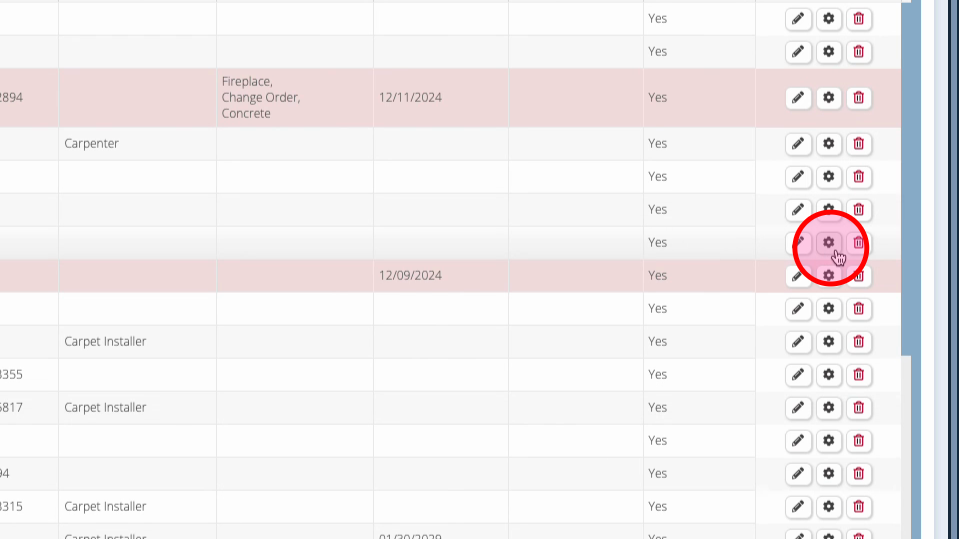
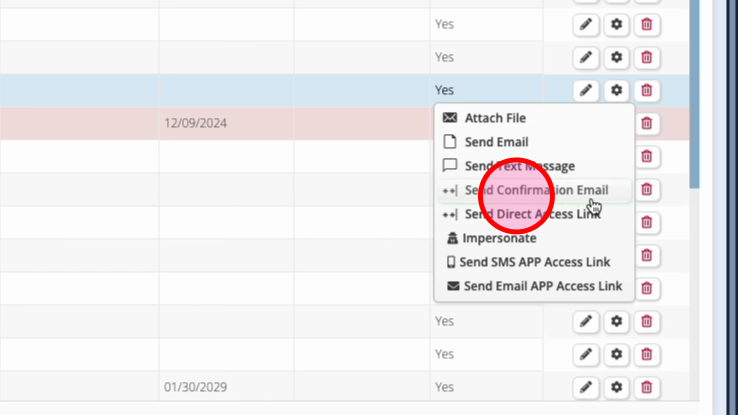
Step 5: Choose the action:
Send a confirmation email. This will allow them to set up their account and password. This is also the action to take if you need to reset their password in the future.
Step 6: If the contractor has the mobile app installed, click Send SMS APP Access Link.
-
If your contractor is using a mobile device that doesn't have cellular service, you can email the app access link instead
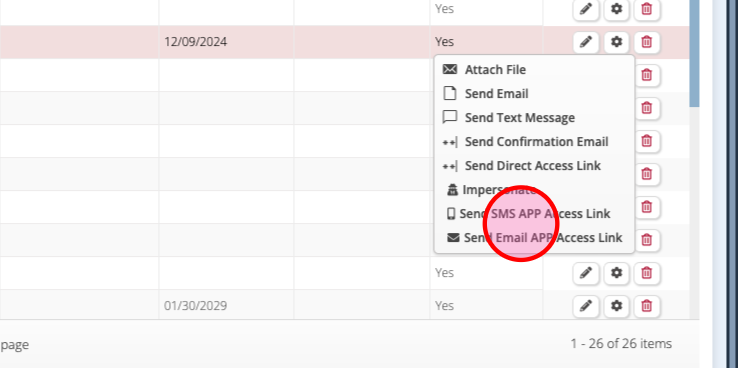
Step 7: If your contractor does not have the mobile app installed, you can send them the Direct Access Link. This will open the Contractor App in their mobile web browser.