
Stay on top of your purchase order payments in Floors App by understanding how line item limits work during partial payments. The app prevents overpayments by capping each component like freight or sales tax to its remaining unpaid balance. Here’s how this feature keeps your records accurate and how to use it.
Step 1: Open a purchase order and review the listed amounts for each line item.
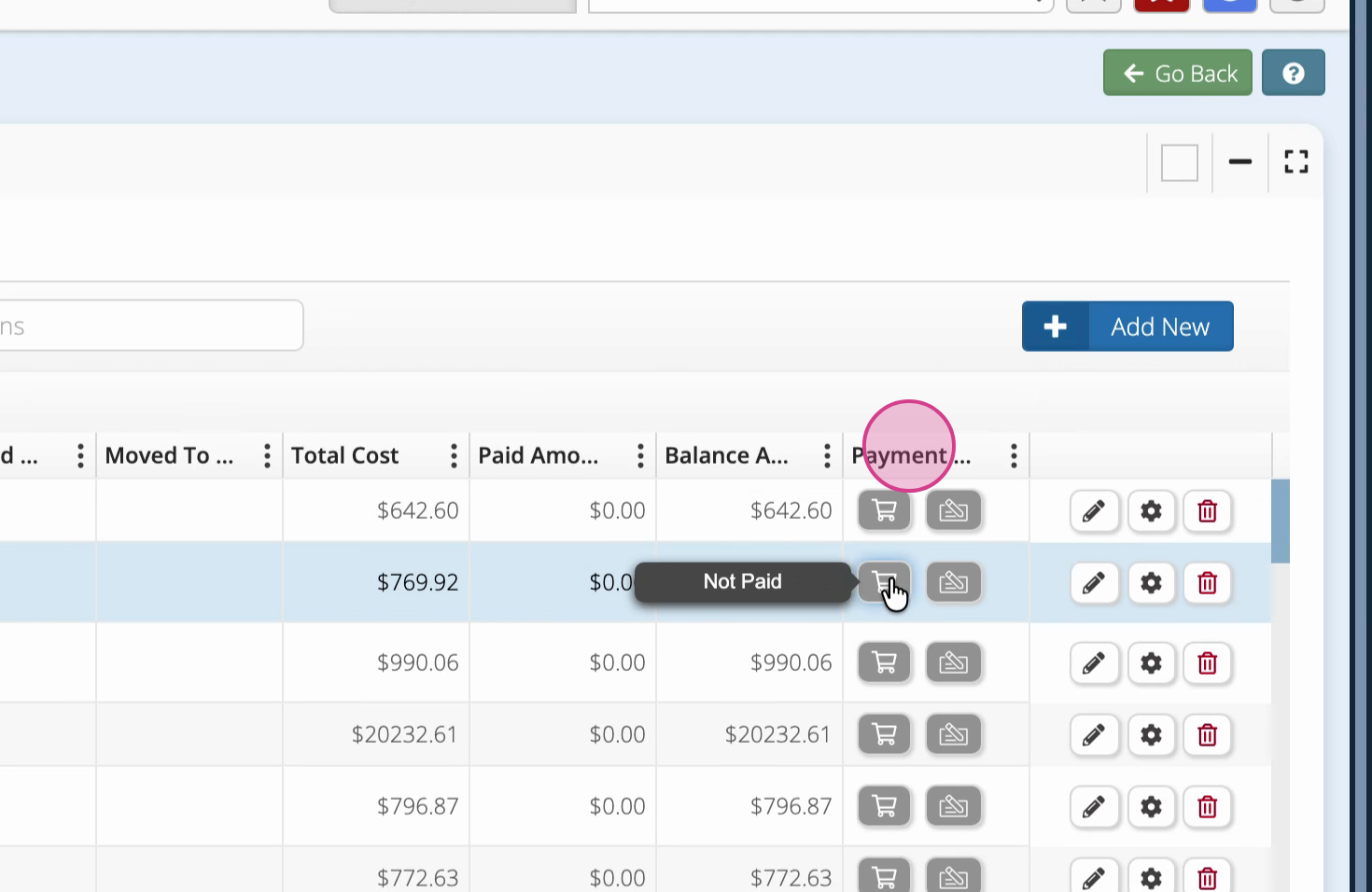
Step 2: Click on any line item field, such as Freight or Sales Tax, to attempt a partial payment.
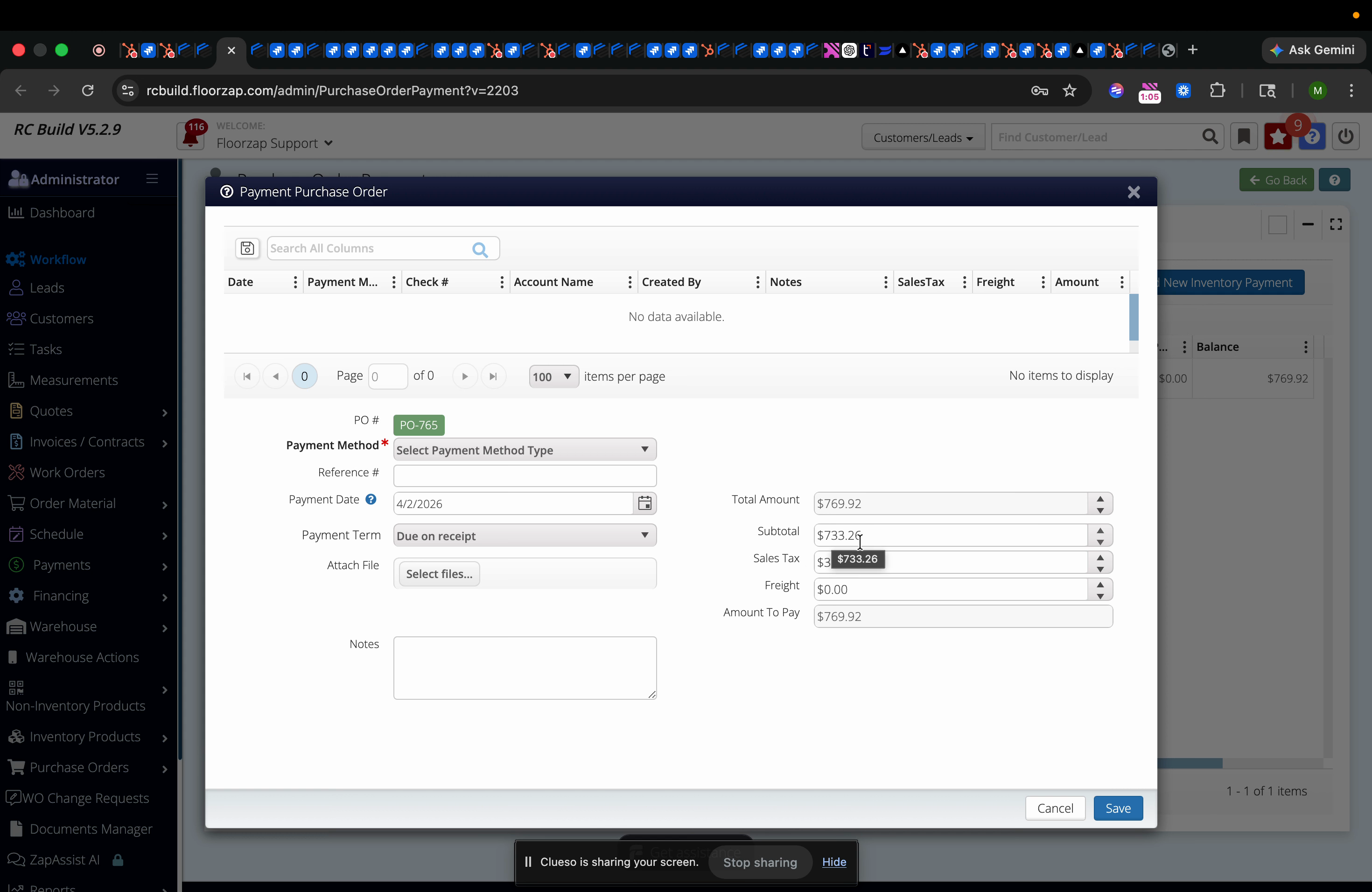
Step 3: Enter an amount into the chosen field. If the amount exceeds what’s still owed for that line item, Floors App automatically reverts the value to the maximum allowed.
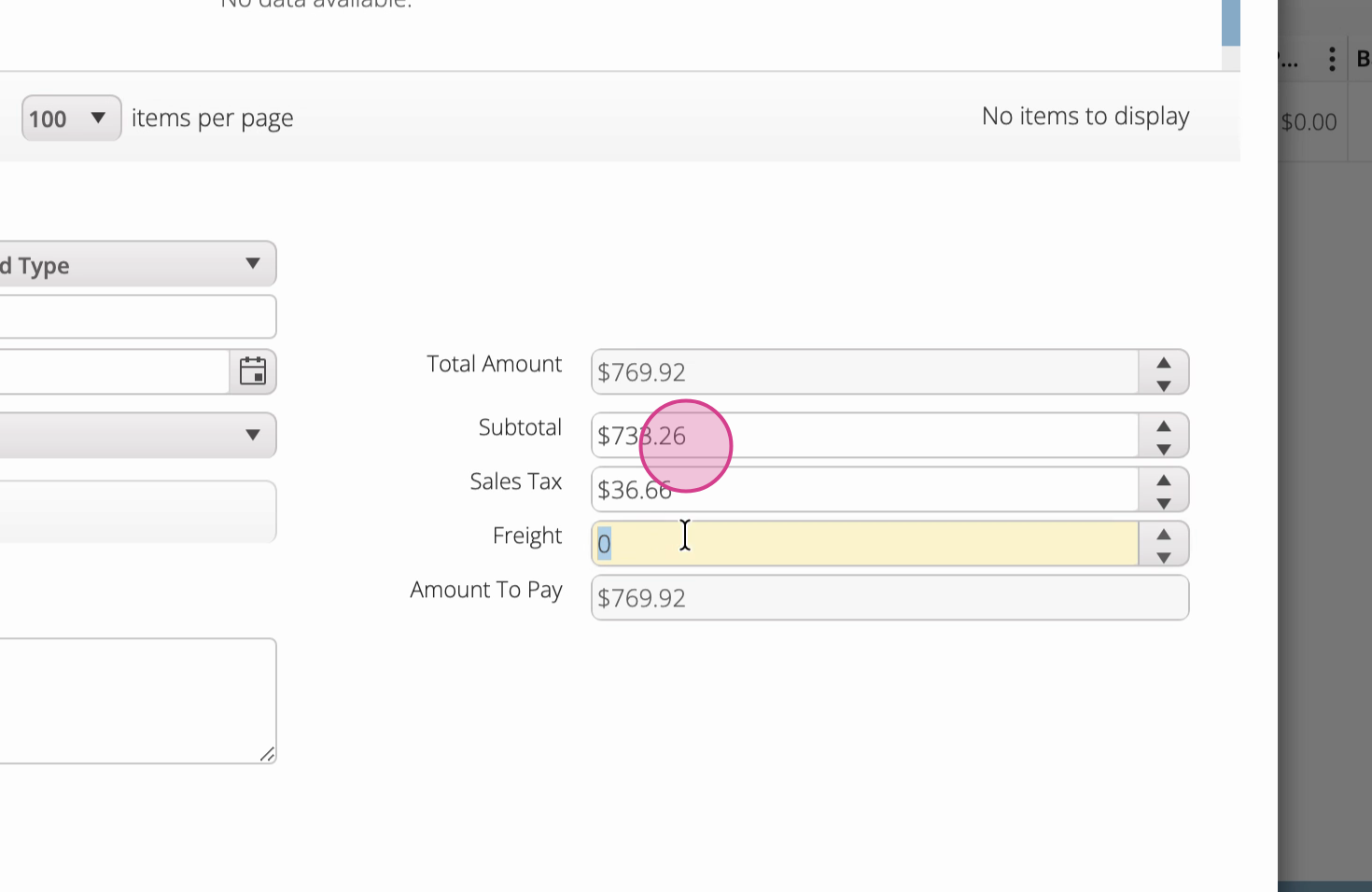
Step 4: Note that you cannot pay more than the unpaid balance for any individual component. If you try entering a higher value (like $800 when the cap is $769.92), the system won’t accept it.
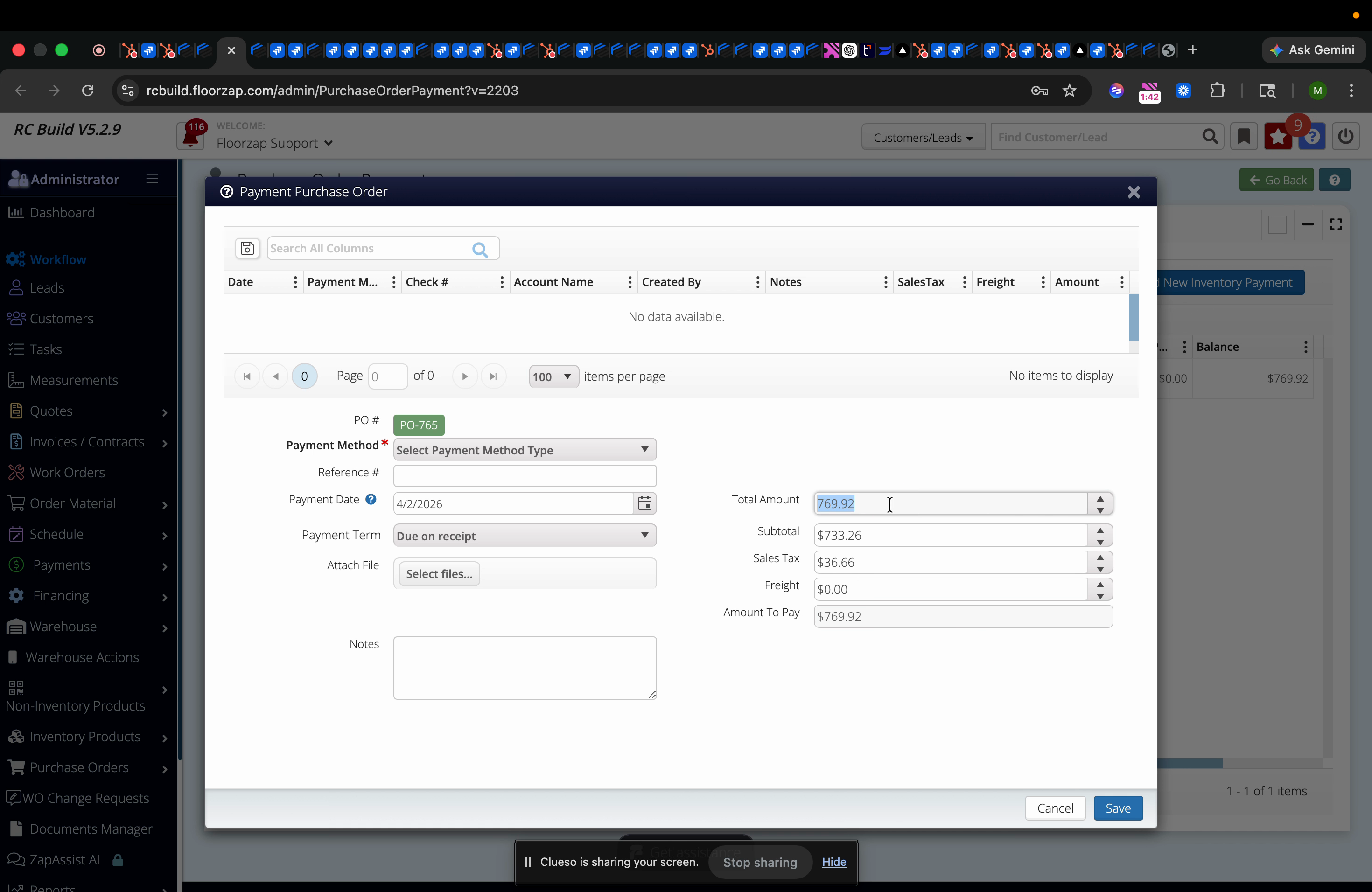
Step 5: Repeat this process for other components as needed. Each field is capped at its respective unpaid amount.
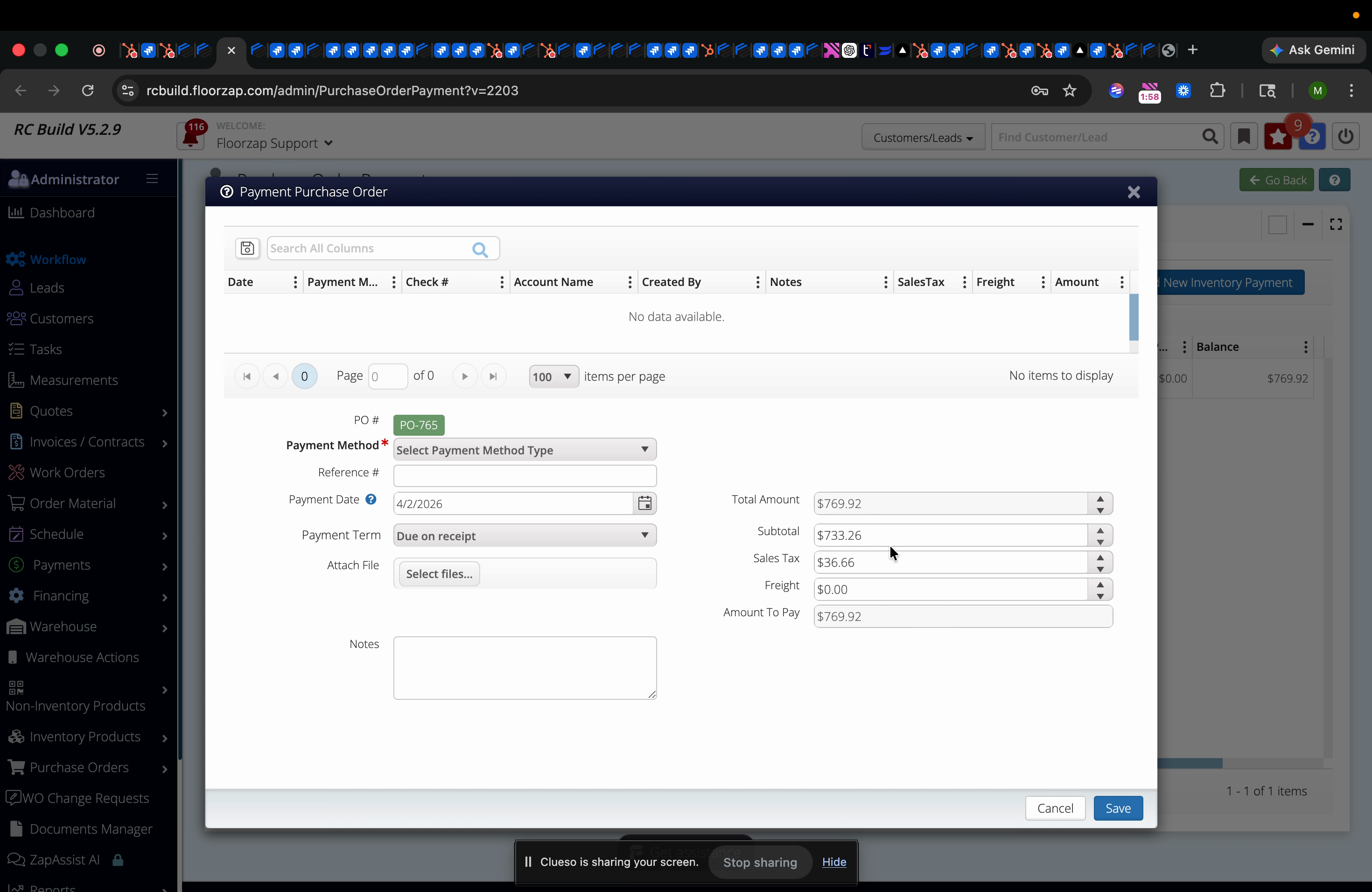
This design prevents overpayments and ensures your financial records remain complete and accurate. Every line item on your purchase order stays within proper limits—so you never have to worry about exceeding what you owe.