
How to Delete an Invoice
Sometimes you need to remove a test invoice or clear out a mistake from your records. Follow these steps to safely delete an invoice and avoid extra confusion.
Step 1: Open the Invoices Contracts tab.
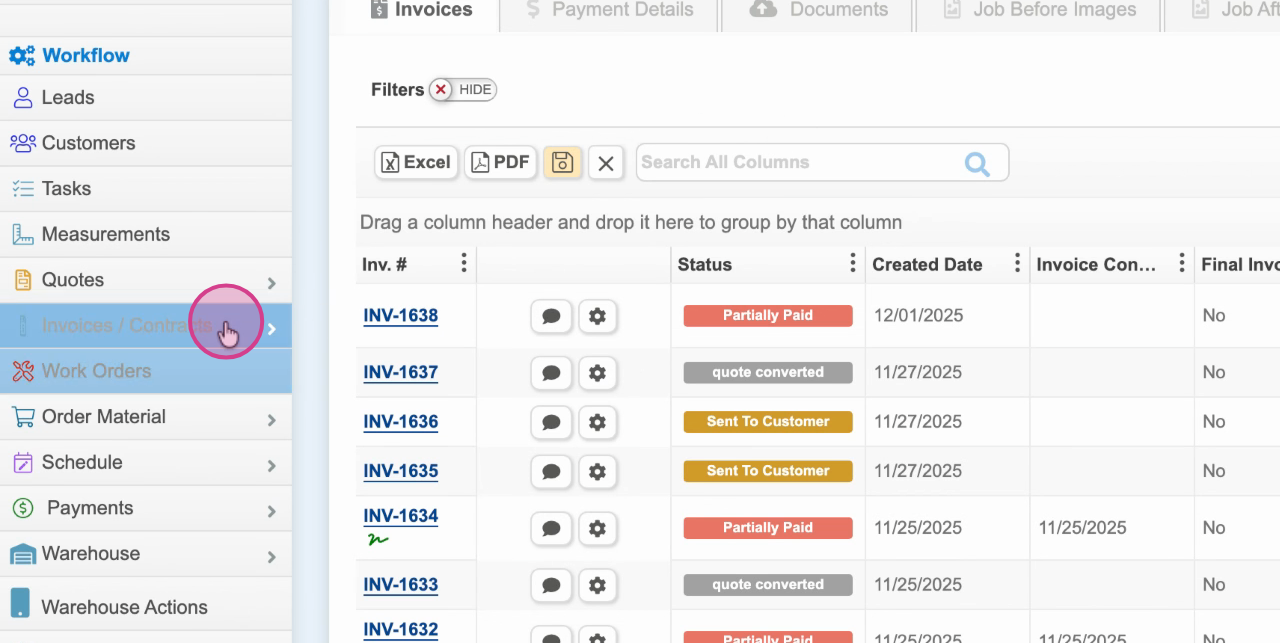
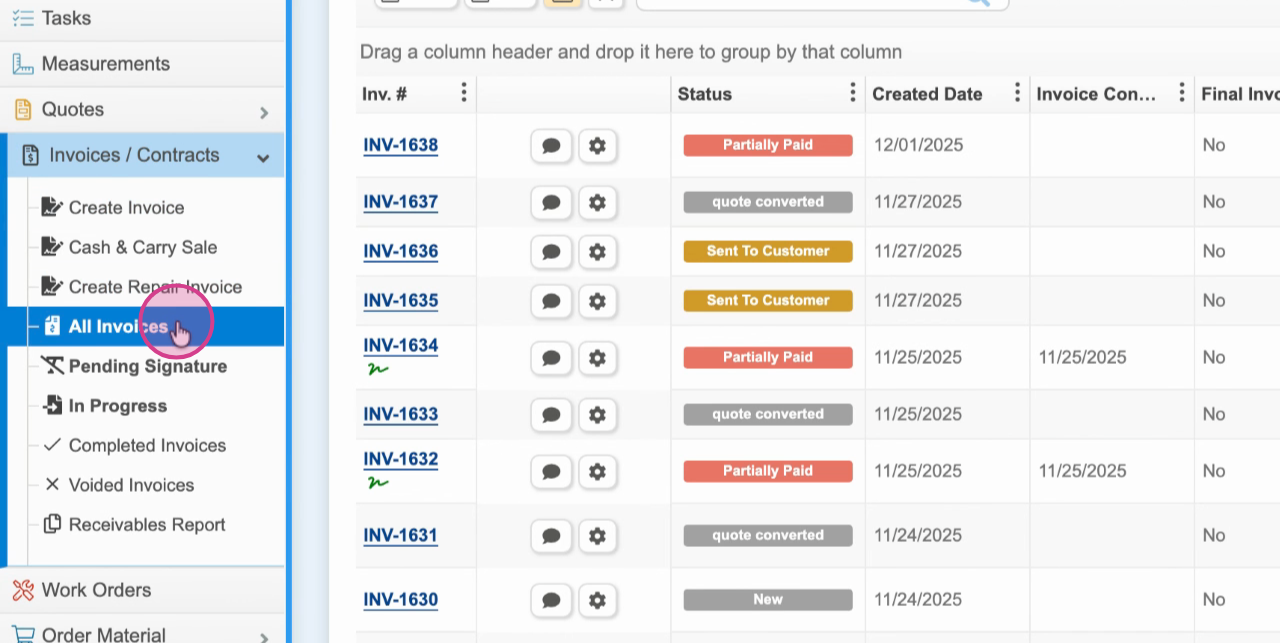
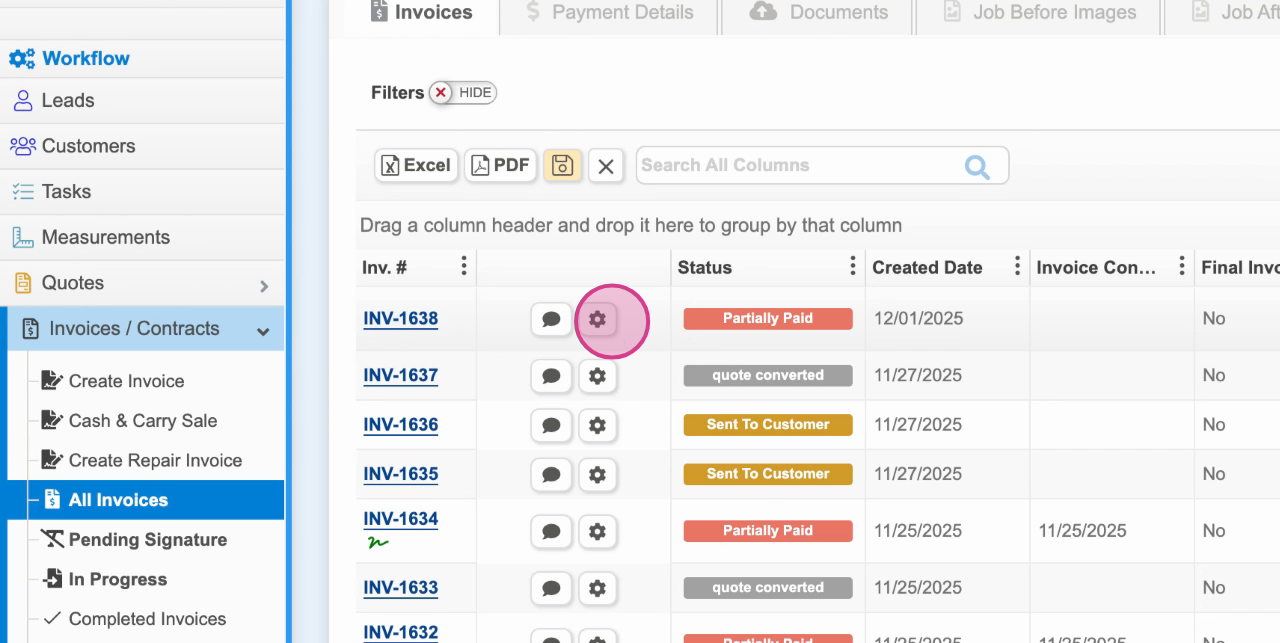
Step 2: Find the invoice you want to delete. Click the gear icon next to the invoice.
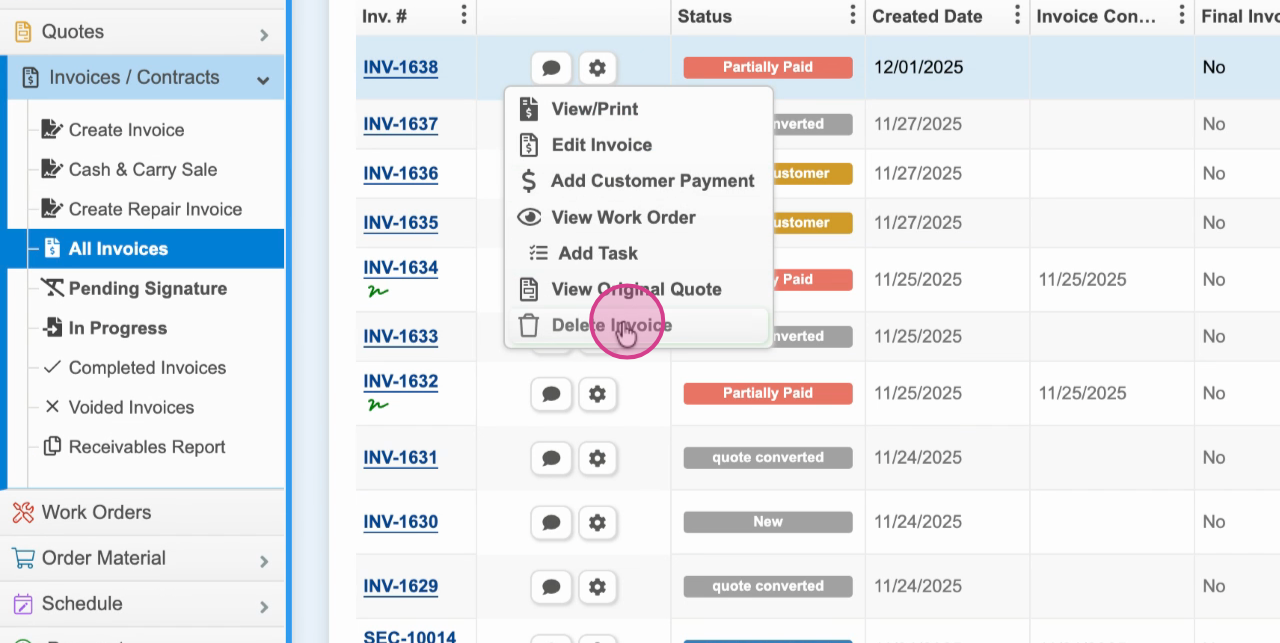
Step 3: Select Delete Invoice from the dropdown menu.
Step 4: Review the warning prompt. You’ll see a message letting you know that deleting this invoice will also remove any records connected to it, like customer payments or related data. Double-check that you really want to delete this invoice, as this action can’t be undone.
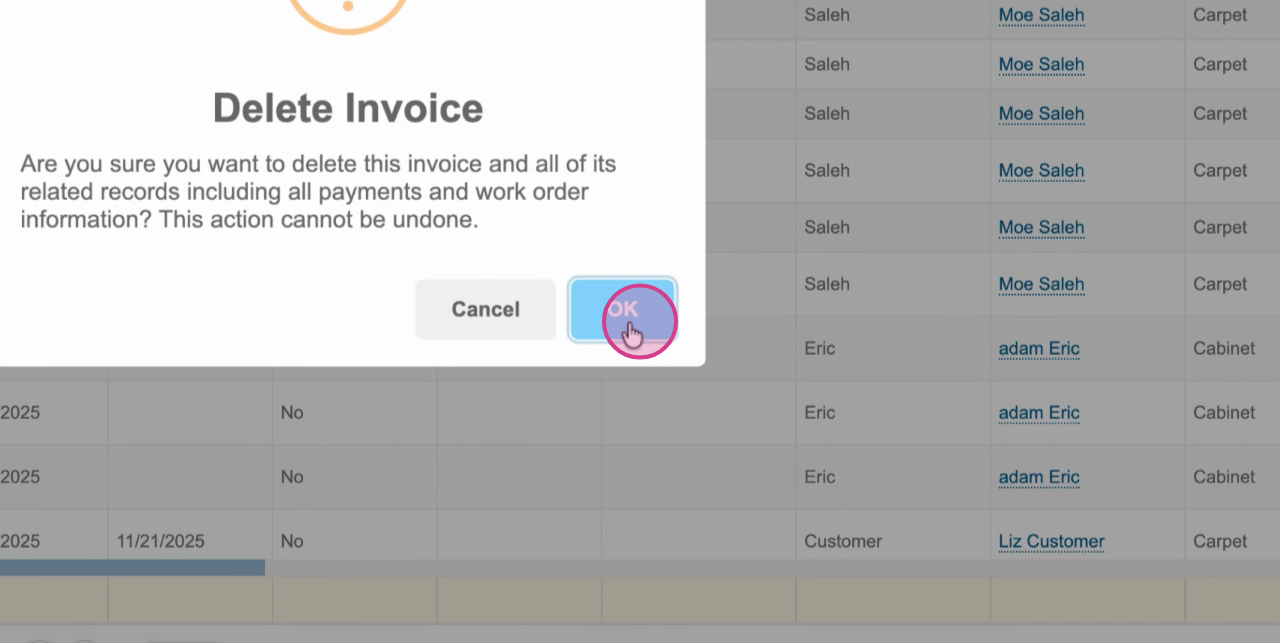
Step 5: Confirm your decision to permanently delete the invoice.
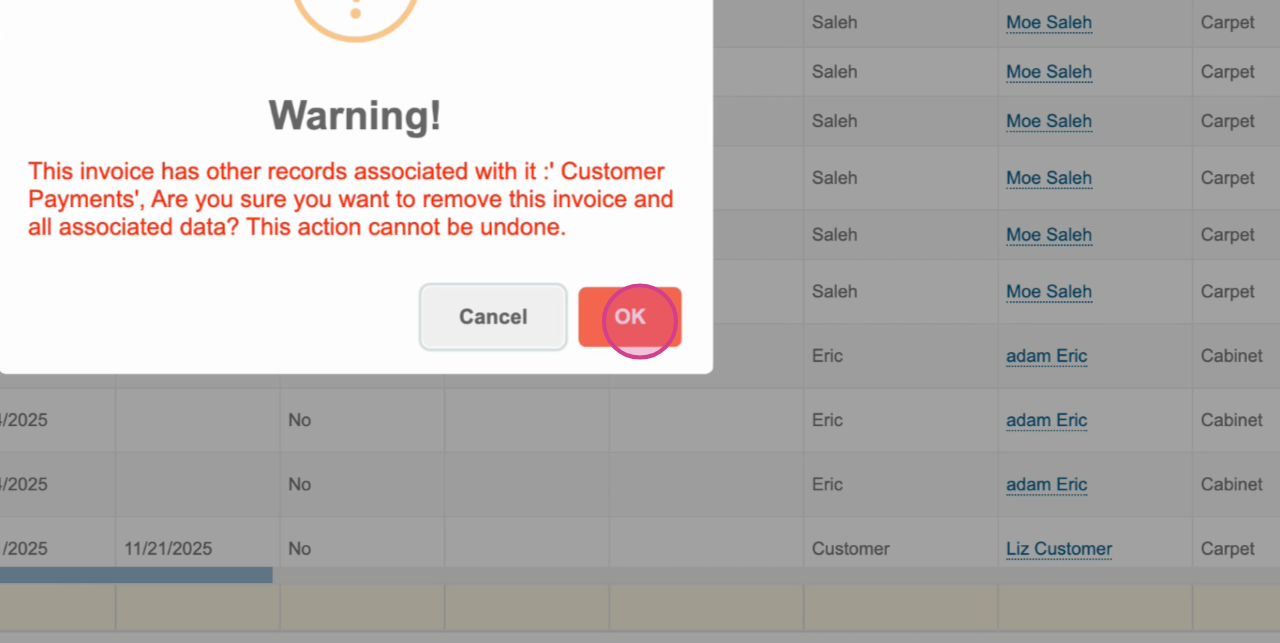
Deleting an invoice is permanent and removes all its associated records. Make sure you actually want to remove the invoice and double-check if any data linked to it is still needed. Use this feature cautiously, especially for invoices tied to real transactions.