
How to Hide a Service Type Instead of Deleting It
Sometimes you add a service type by mistake or want to remove one you’re no longer using. While you can’t delete a service type, you can easily hide it so it’s out of sight and can’t be selected in a quote or invoice.
Follow these steps to keep your service types clean and relevant.
Step 1: Go to Settings.
Step 2: Click System Lists on the left-hand side.
Step 3: Select Service Types from the list.
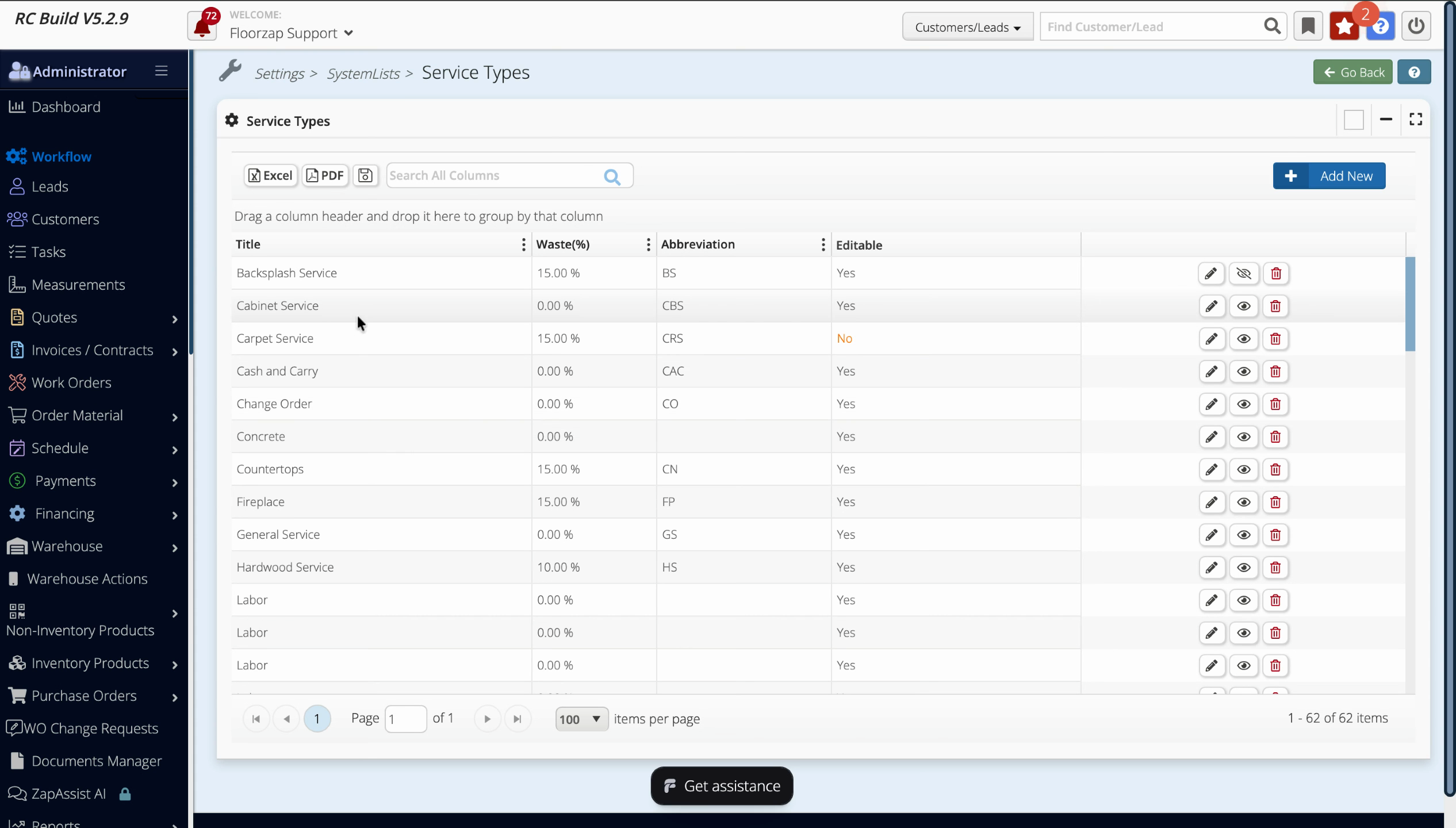
Step 4: Find the service type you want to hide (like "Cabinet Service").
Step 5: Click the eye icon (Hide) next to the service type.
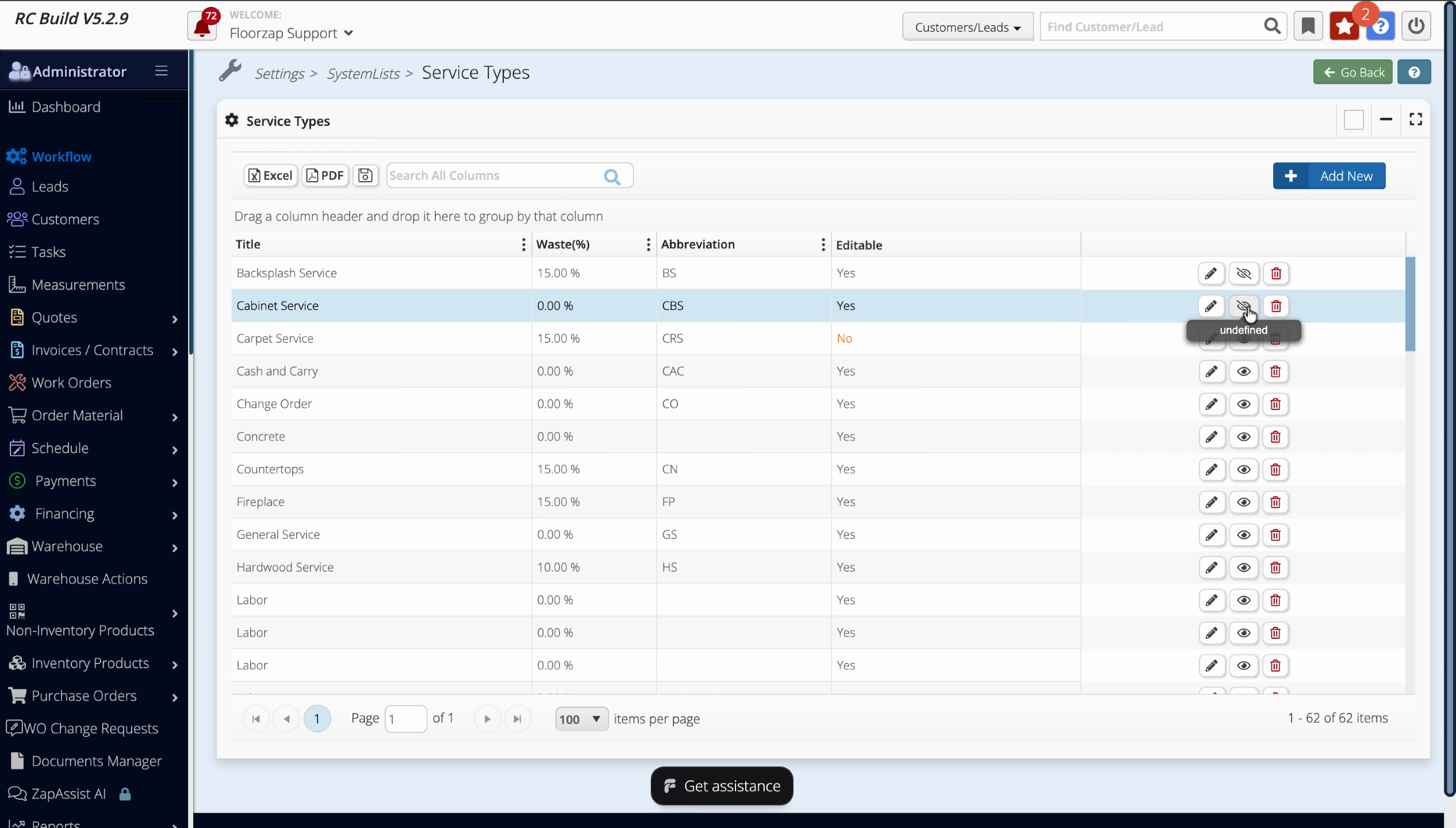
Now, that service type won’t appear as an option when building quotes or invoices. If you ever need it again, just click the eye icon to unhide it.
Hiding service types keeps your workflow simple without losing historical data. Use this feature to keep your options current while keeping old or unused types out of view.