
Sort Quotes by Status in Floors App
Easily organize and view quotes by their status in the Floors app. Two primary methods—Filters and Grouping—let you quickly find the information you need and stay on top of your workflow.
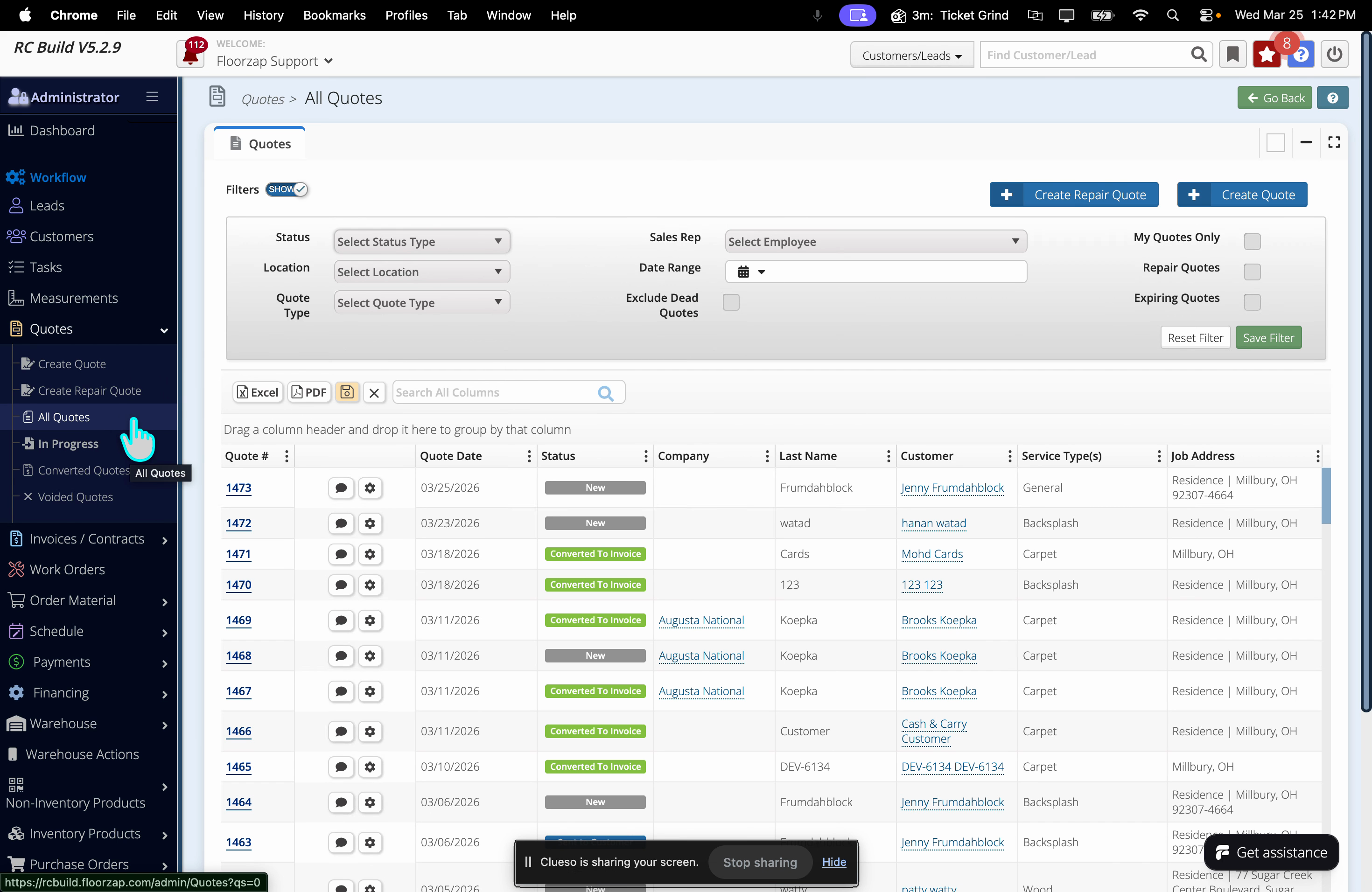
Step 1: Go to the Quotes tab in the left menu.
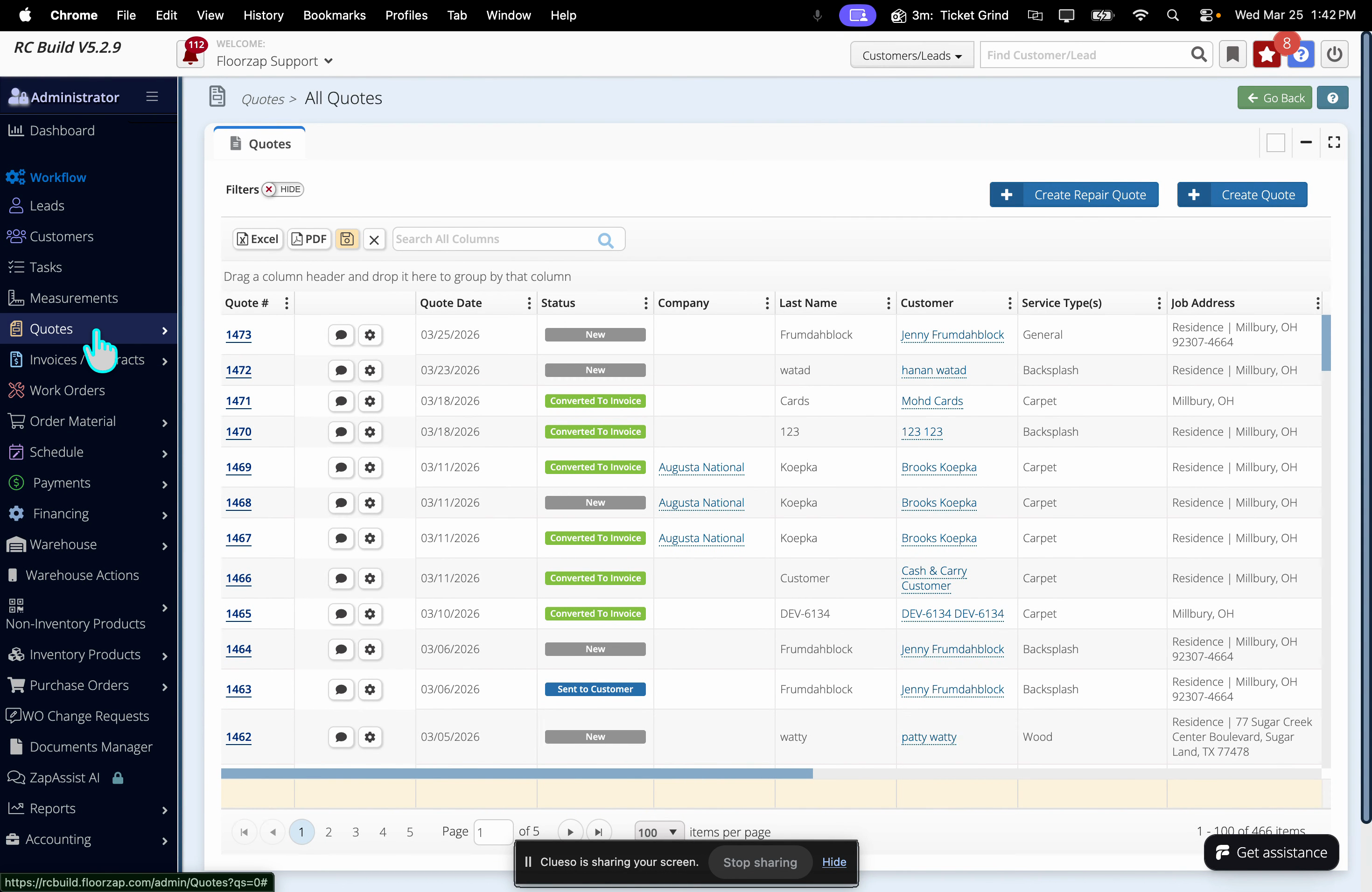
Step 2: Select All Quotes at the top of the page.
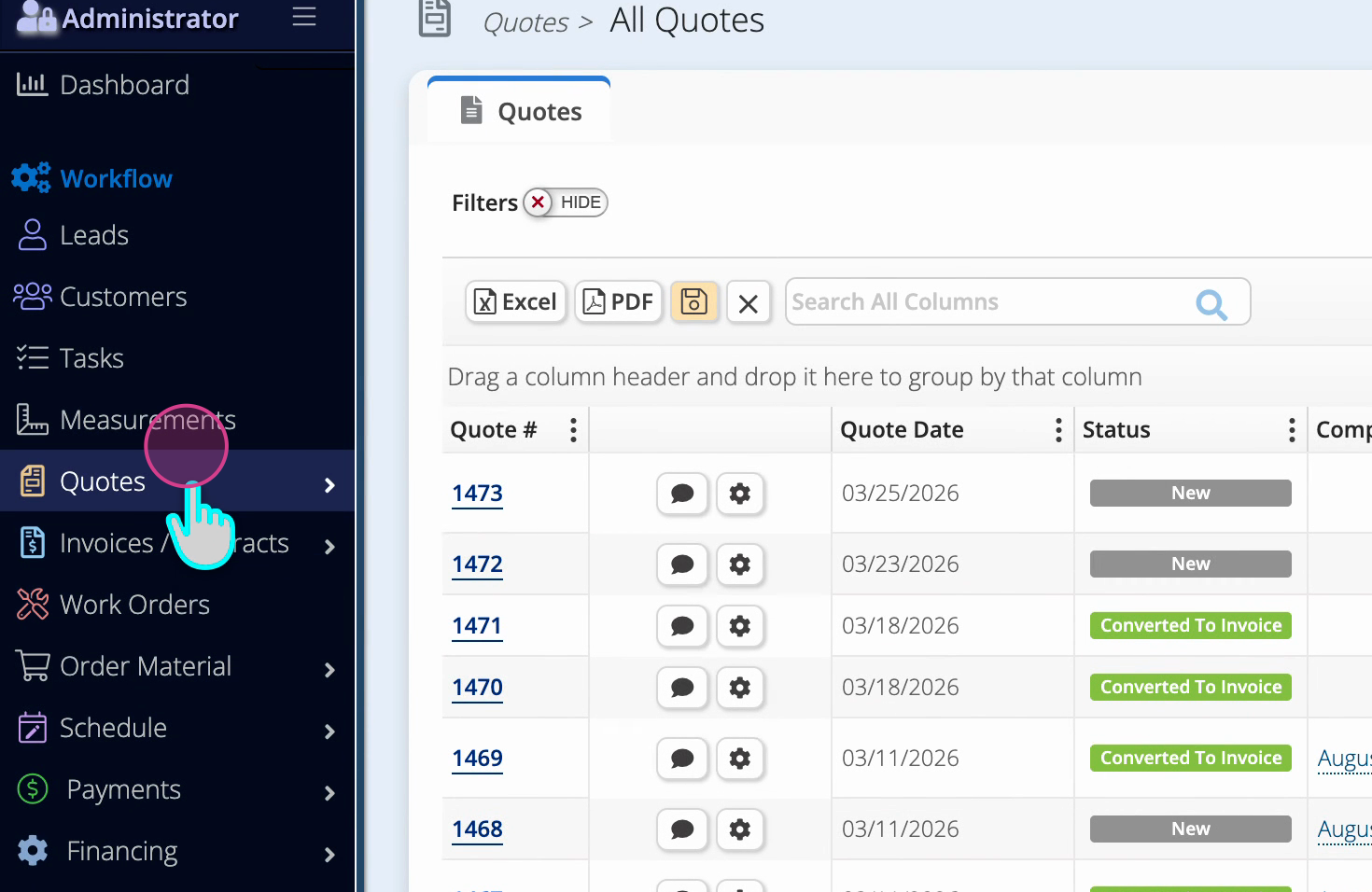
Step 3: Click the Filters button. The button will change to show filtering options.
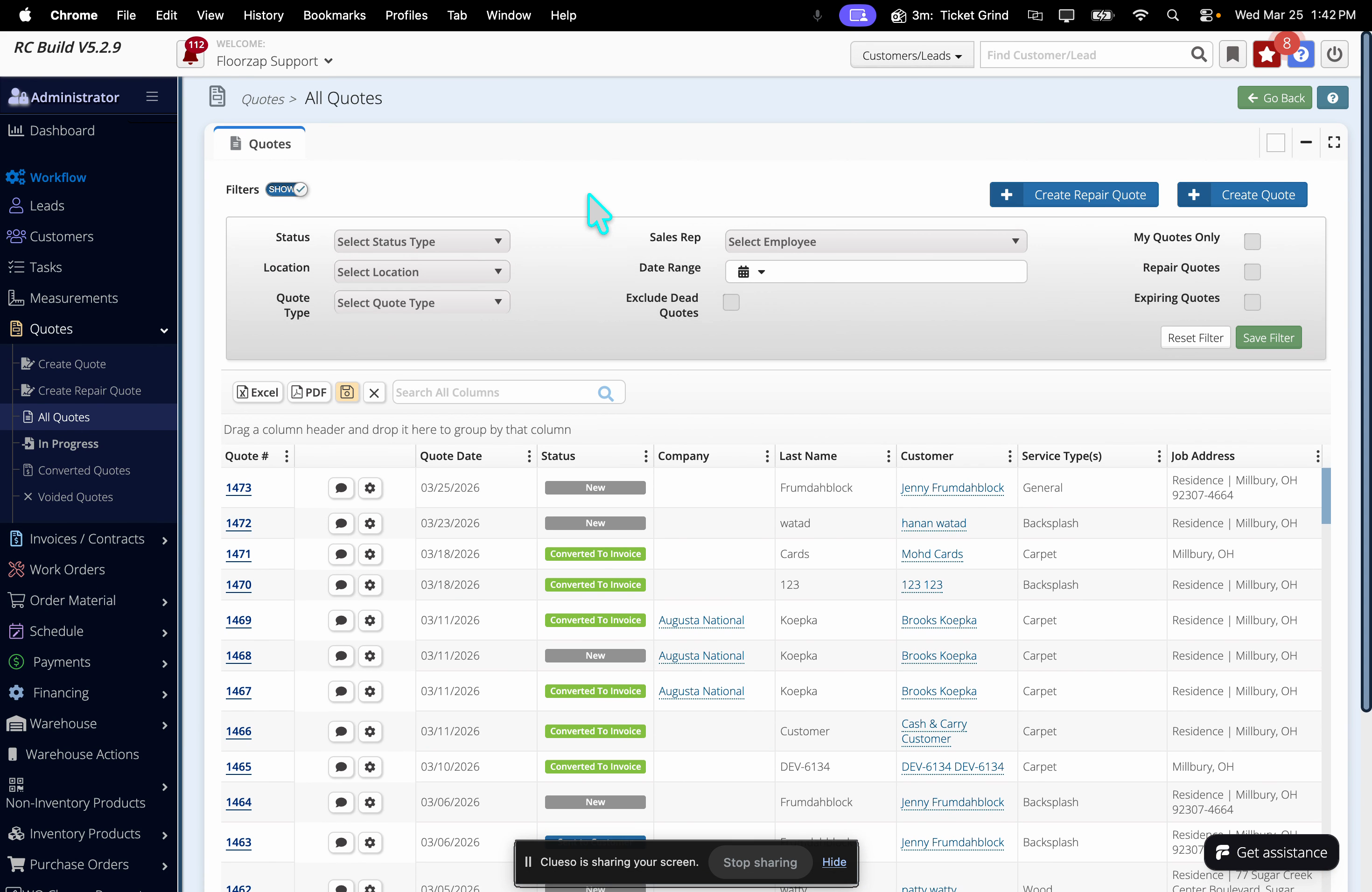
Step 4: Use the dropdown menus that appear to pick your desired status.
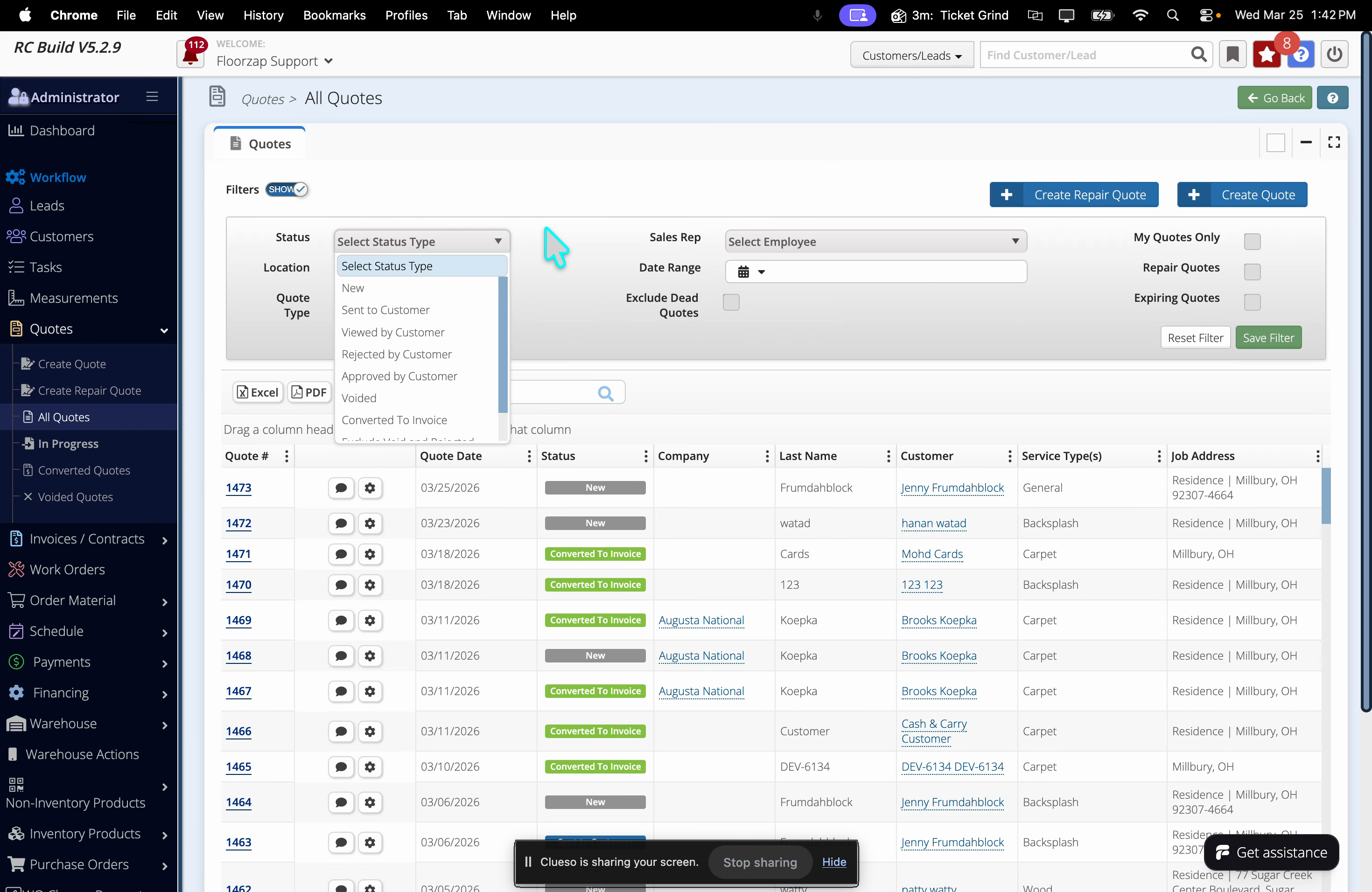
Group Quotes by Status
Visualize and manage quotes more efficiently by grouping them based on their status.
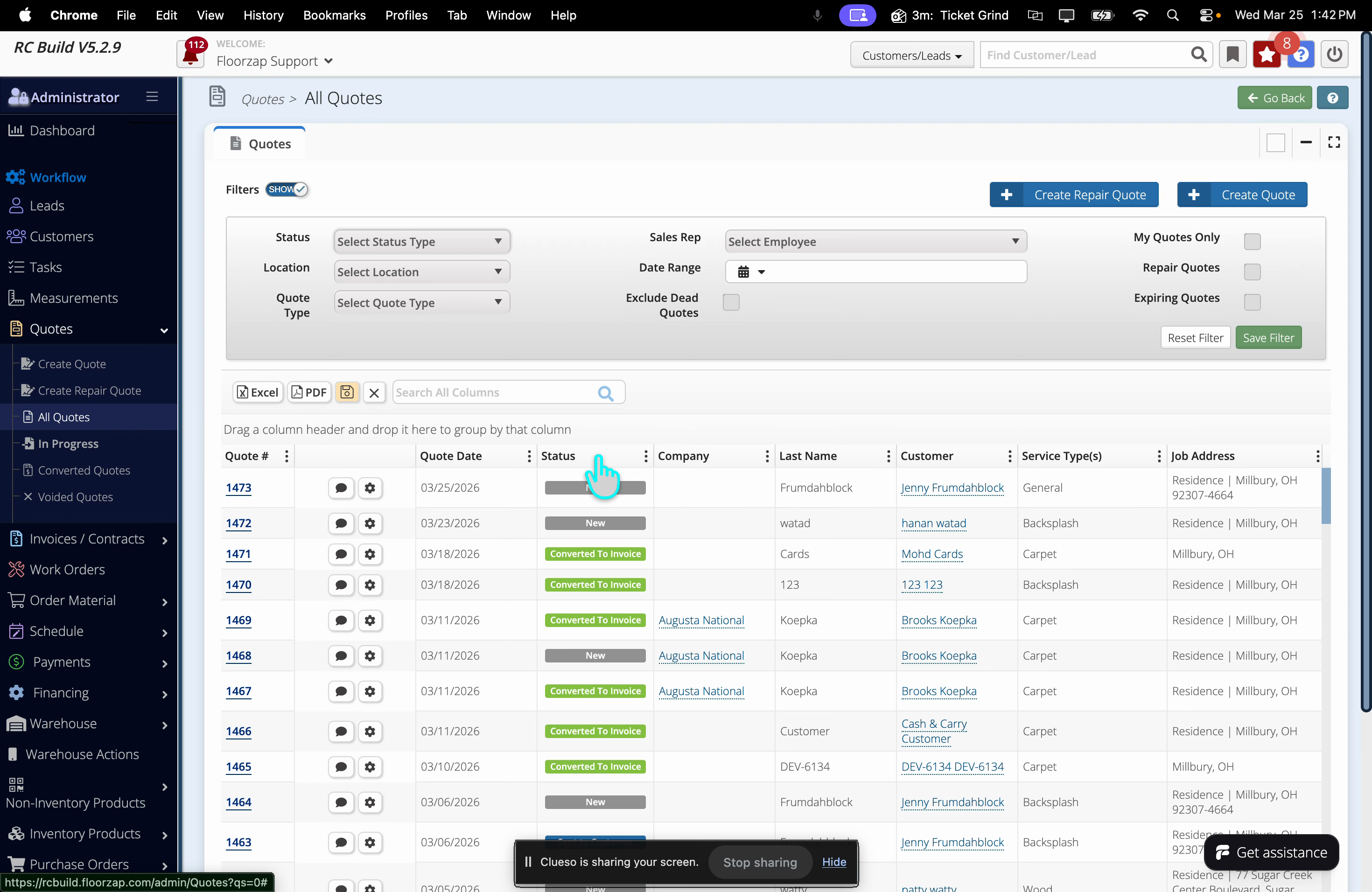
Step 1: In the All Quotes section, find the column header labeled Status.
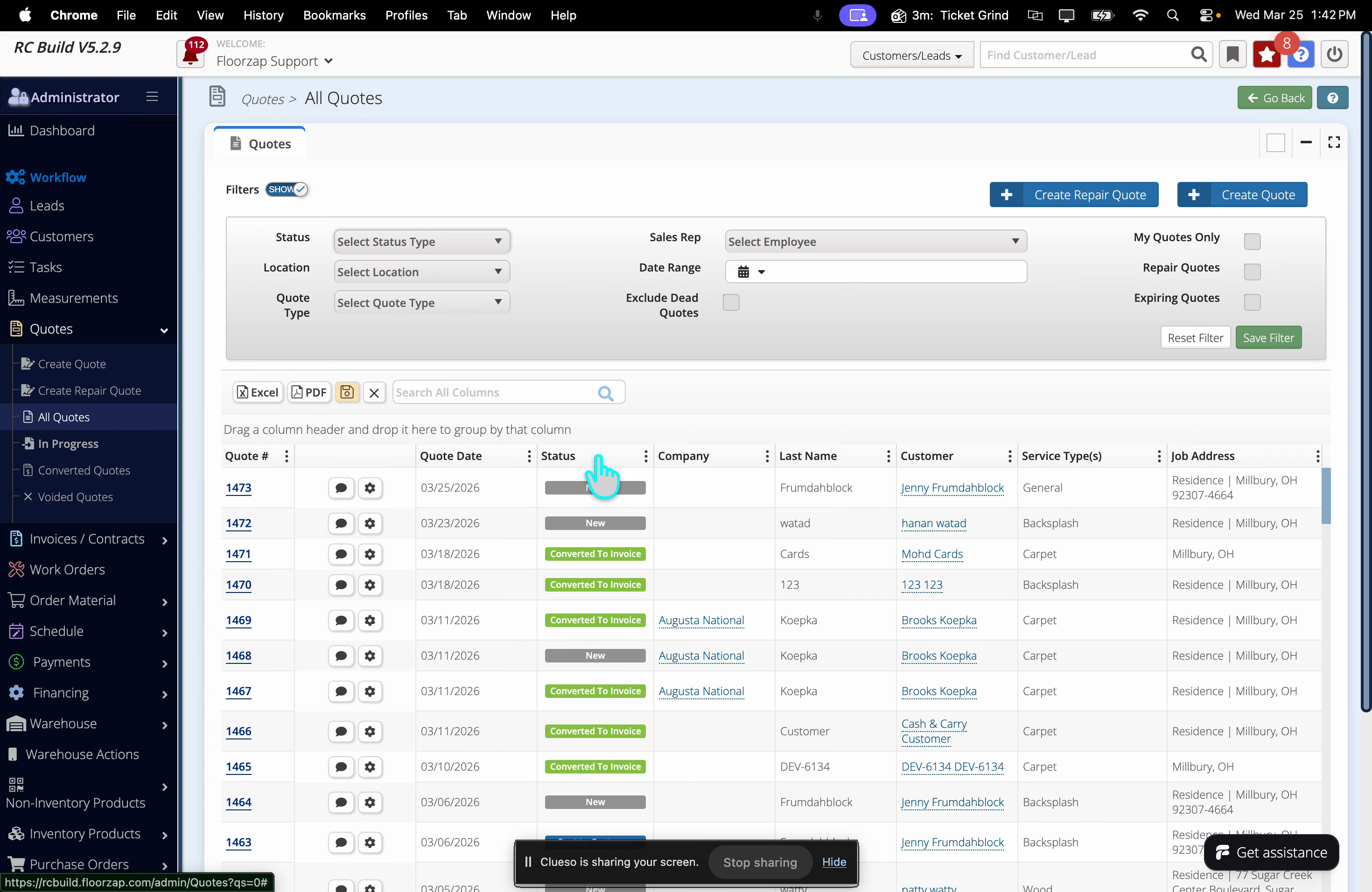
Step 2: Drag the Status column header to the area above the column titles that says “Drag a column header and drop it here to group by that column.”
Step 3: The quotes are now grouped and sorted by Status type.
Sorting and grouping quotes by status improves organization and lets you track project progress at a glance. Use these features to manage your workflow with confidence.