
When should I add a new GL Account?
You should add a new GL account when you need to track a new type of asset, liability, equity, income, or expense not already represented in your Chart of Accounts. This allows for more detailed reporting and ensures that your financial records are accurate and well-organized.
How do I add a new GL account?
- Navigate to the Chart of Accounts
- Click the ‘+Add Account’ button
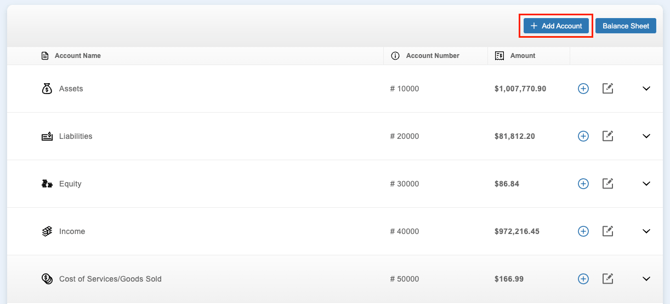
- You can also add a new GL account in-line by selecting the ‘+’ icon within the desired Parent Account’s row
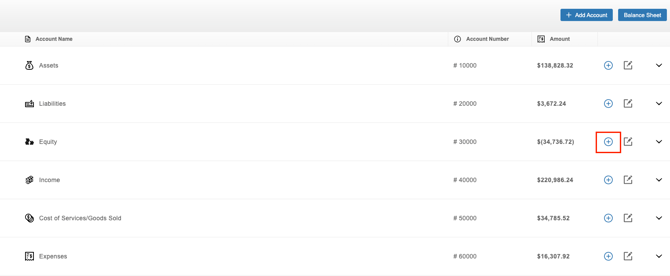
- You can also add a new GL account in-line by selecting the ‘+’ icon within the desired Parent Account’s row
- Enter the ‘Account Name’
- Enter the ‘Account Number’ (make sure to adhere to the numbering convention)
- Select a ‘Parent Account’ from the drop-down
- Based on the ‘Parent Account’ selected, the ‘Account Type’ will be completed
- Select the ‘Account Subtype’ from the drop-down
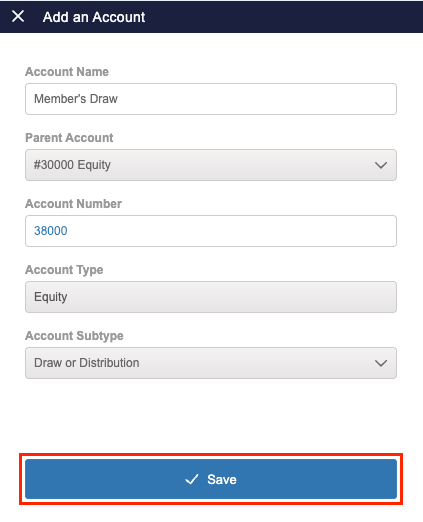
- Click the ‘Save’ button
Can I edit a GL account?
You can edit a GL account if it was manually added. Default GL accounts cannot be modified.
How do I edit a GL account?
- Navigate to the Chart of Accounts
- Locate that General Ledger account in the Chart of Accounts
- Click the edit icon on the far right
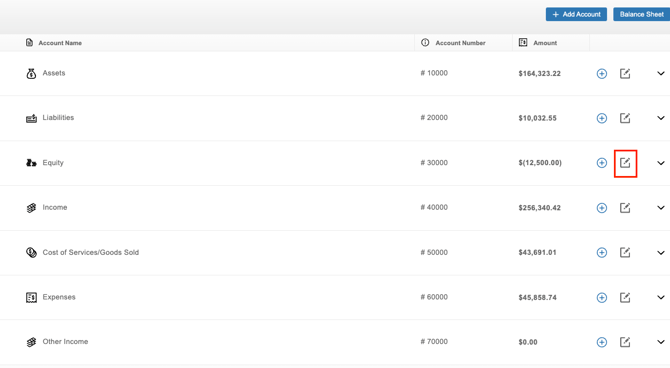
- Make the changes
- Click the ‘Save’ button
Can I delete a GL account?
You can delete a GL account if it is no longer needed, as long as it has a zero balance and is not attached to a linked bank account.
How do I delete a GL account?
- Navigate to the Chart of Accounts
- Locate that General Ledger account in the Chart of Accounts
- Click the edit icon on the far right
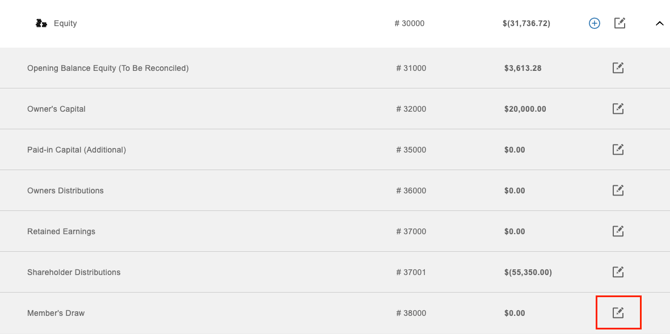
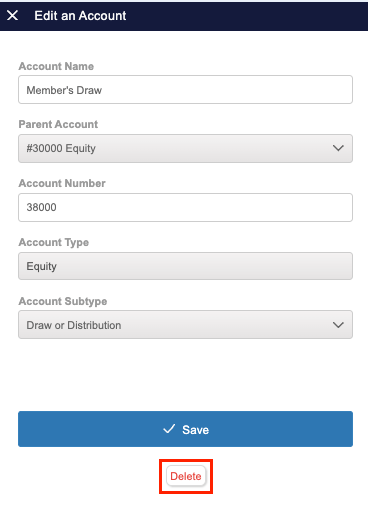
- Click the ‘Delete’ button at the bottom
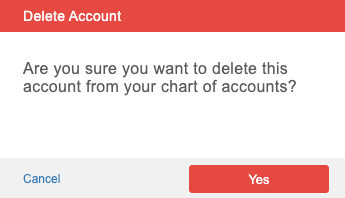
- Confirm that you'd like to delete this GL account by clicking 'Yes'
Why am I getting an error when trying to delete a GL account?
You will see an error if you try to delete a GL account that has a balance or is associated with a linked bank account. To proceed, zero out the account or unlink the associated bank account.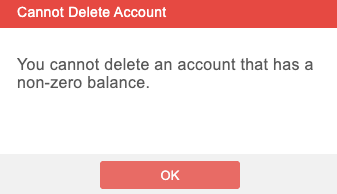
How do I edit the balance of a GL account in the Chart of Accounts?
GL account balances are calculated from tracked transactions and journal entries, so they can’t be edited directly. If the balance is incorrect, check that all relevant transactions have been recorded, and the account’s beginning balance is accurate.
Why are my GL accounts duplicated?
Duplicate GL accounts can occur in several situations:
- You created a Manually Tracked Account to import historical transactions and also linked the same account to pull in transactions automatically.
- You unlinked and then relinked the same bank account or credit card.
- Changes were made to your linked bank account or credit card, such as an updated account name or card number.
Since these accounts represent the same real-world account, you can merge them to streamline your records and keep your General Ledger, Chart of Accounts, and Balance Sheet accurate.
How do I merge GL accounts?
- Navigate to the section Accounting > Transactions > Money In or Money Out
- Click the gear icon
- Select Banks & Integrations
- Under ‘Linked Accounts’, click on the account the other account(s) should be merged with
- Click 'Merge Accounts'
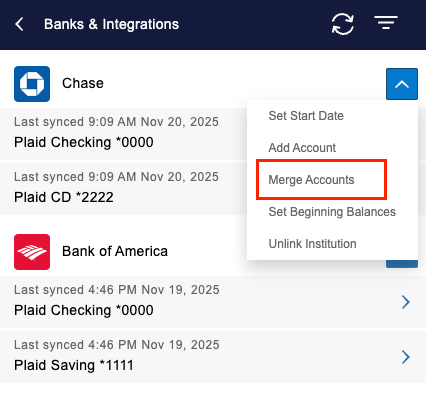
- Select the account(s) to merge into the selected account
- Click 'Done'
- When prompted, confirm you want to merge the accounts by clicking 'Continue'
Once merged:
- All transactions will be reflected under the linked account they were merged into across the Money Out Dashboard, Money In Dashboard, General Ledger, Chart of Accounts, and Balance Sheet.
- If applicable, the Manually Tracked Account will be archived automatically, with the option to restore it later if needed.
Can I undo a GL account merge?
No. Merging bank accounts or credit cards is permanent and cannot be undone. Double-check that you’re merging the correct accounts before proceeding.