By default, the P&L will show the past 6 months of data, grouped by month. You can edit the filters to adjust the timeframe and grouping as needed.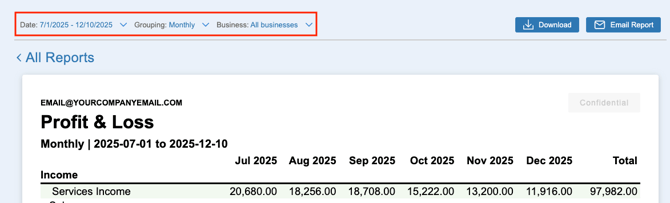
How do I view a Profit & Loss for a certain timeframe?
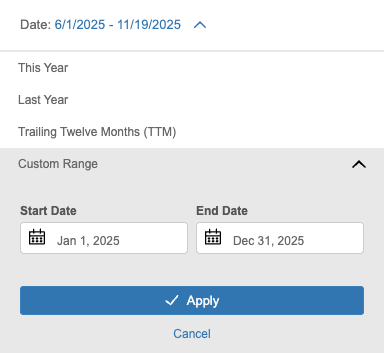
By clicking the 'Date' filter, you can select a default timeframe such as 'This Year', 'Last Year', or 'Trailing Twelve Months'. Alternatively, you can set your own custom range by setting the start and end date of the report.
How do I use the Profit & Loss to compare different periods?
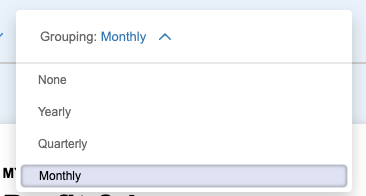
Using the 'Grouping' filter allows you to compare your data across different periods. Simply select one of the filters to customize the period that is being compared.
- None - No multi-period comparison
- Yearly - Year-over-year comparison for the selected date range
- Quarterly - Quarter-over-quarter comparison for the selected date range
- Monthly - Month-over-month comparison for the selected date range