
- Navigate to the section Accounting > Financial Statements > Accounting Reports
- Locate the Balance Sheet
- Click the 'View' button
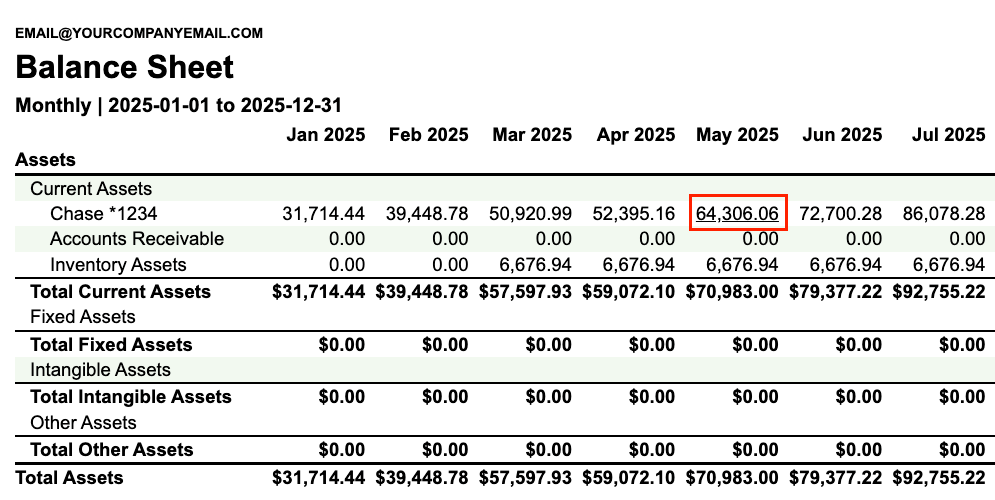
- In the report, click on a GL account or amount that you want to drill into
- You’ll be directed to the GL with a filter applied for that specific GL account and timeframe
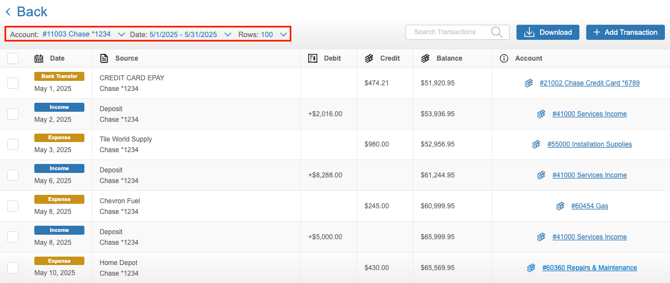
From here, you can view all of the details about the transactions and journal entries from that timeframe that are resulting in that balance and make changes as needed.