
Make Sure Customer Addresses Are Complete for Accurate Tax Calculation
When setting up a new customer, adding their street address and zip code ensures your tax software can charge the correct tax rate. Missing information leads to errors, so it’s important to double-check these fields every time you add or edit a customer.
Step 1: Find the customer record that needs editing.
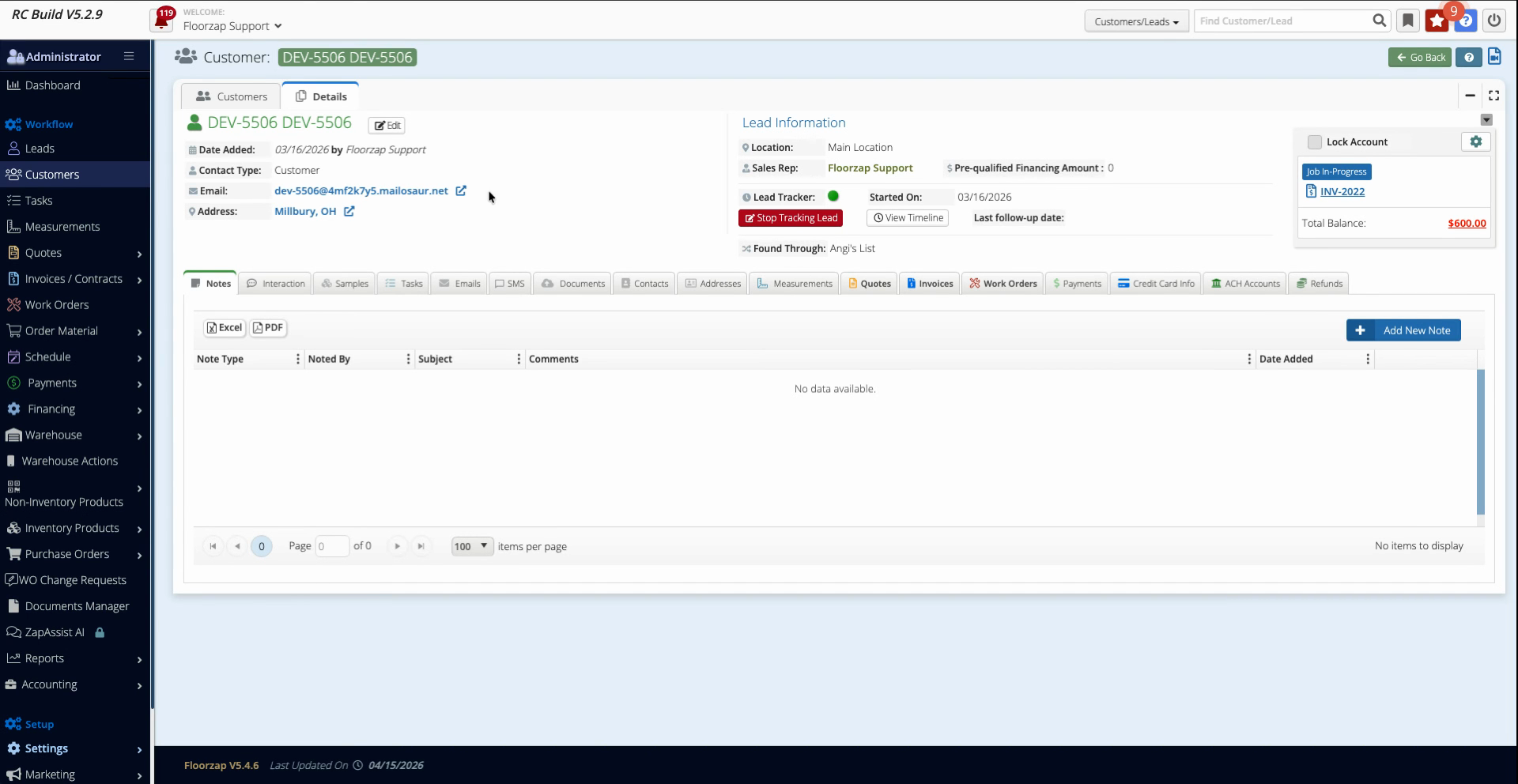
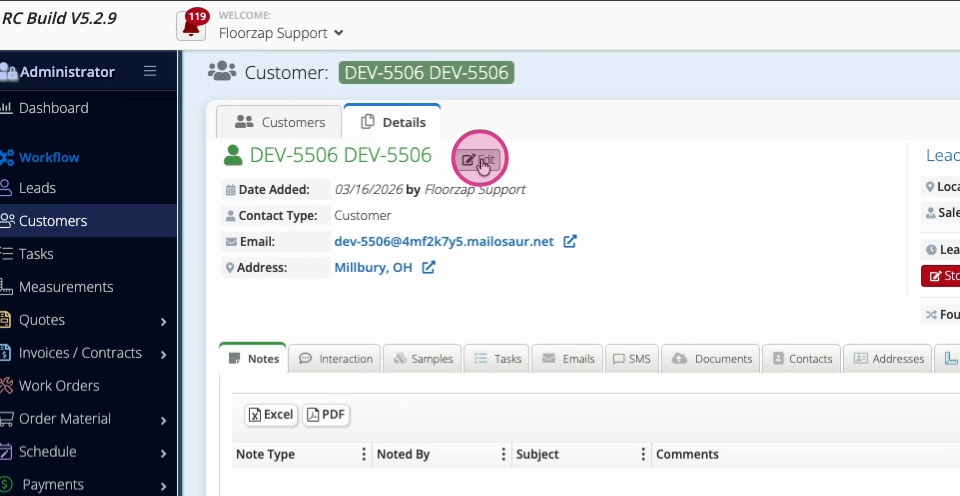
Step 2: Click Edit to open the customer details page.
Step 3: Check the Street Address and Zip Code fields. If they’re empty, fill them in with the customer’s full address.
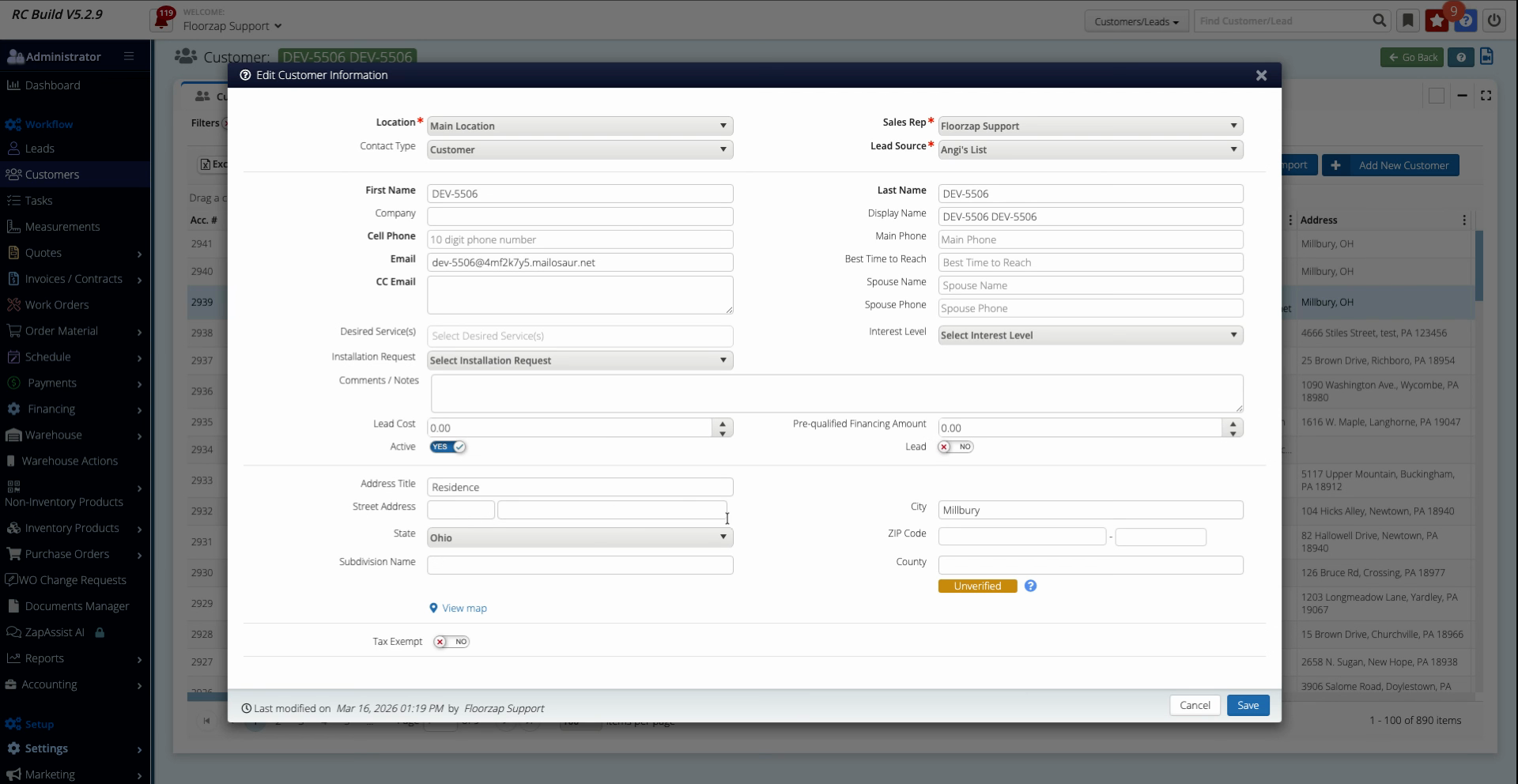
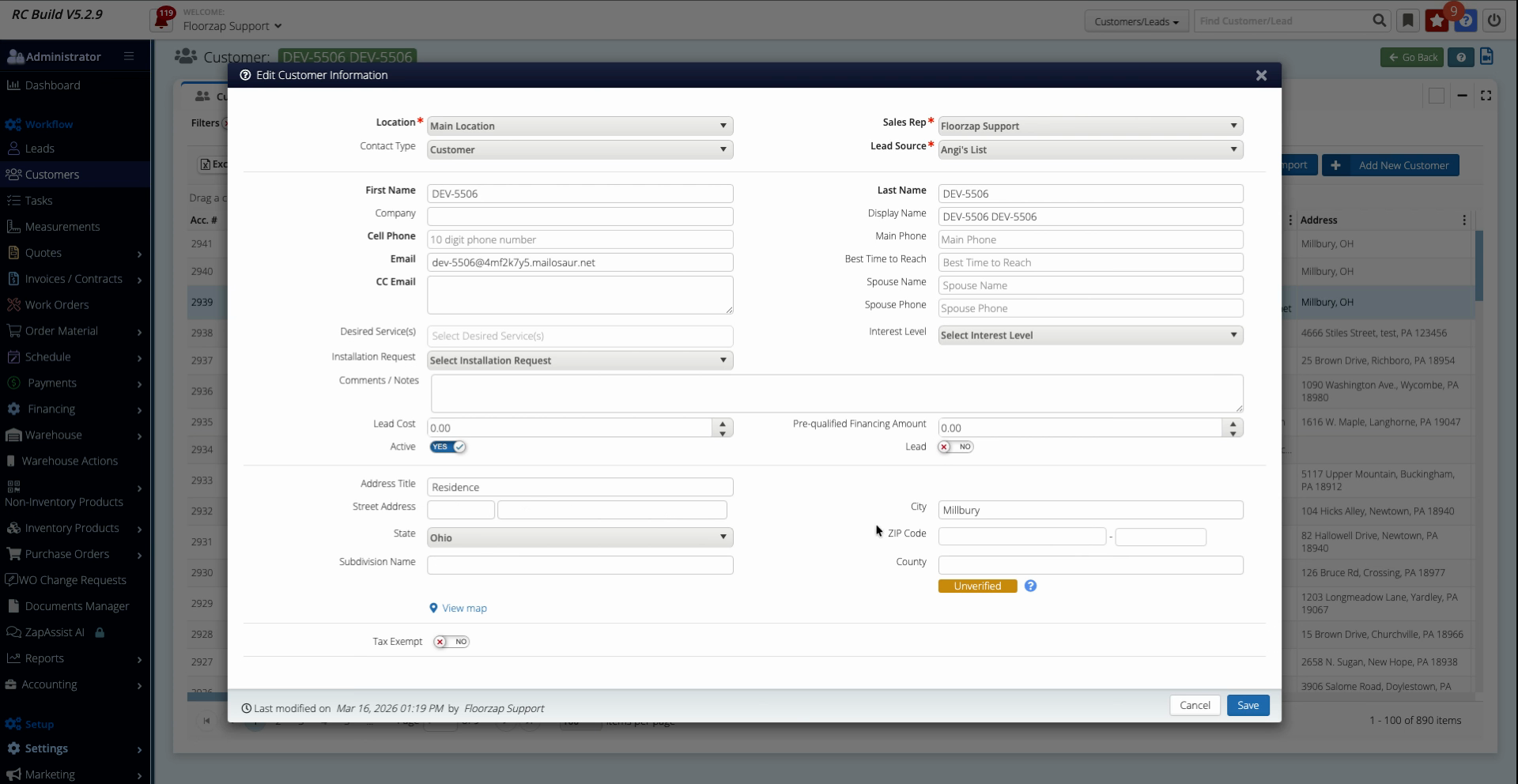
Step 4: Save the changes once you've filled in the required details.
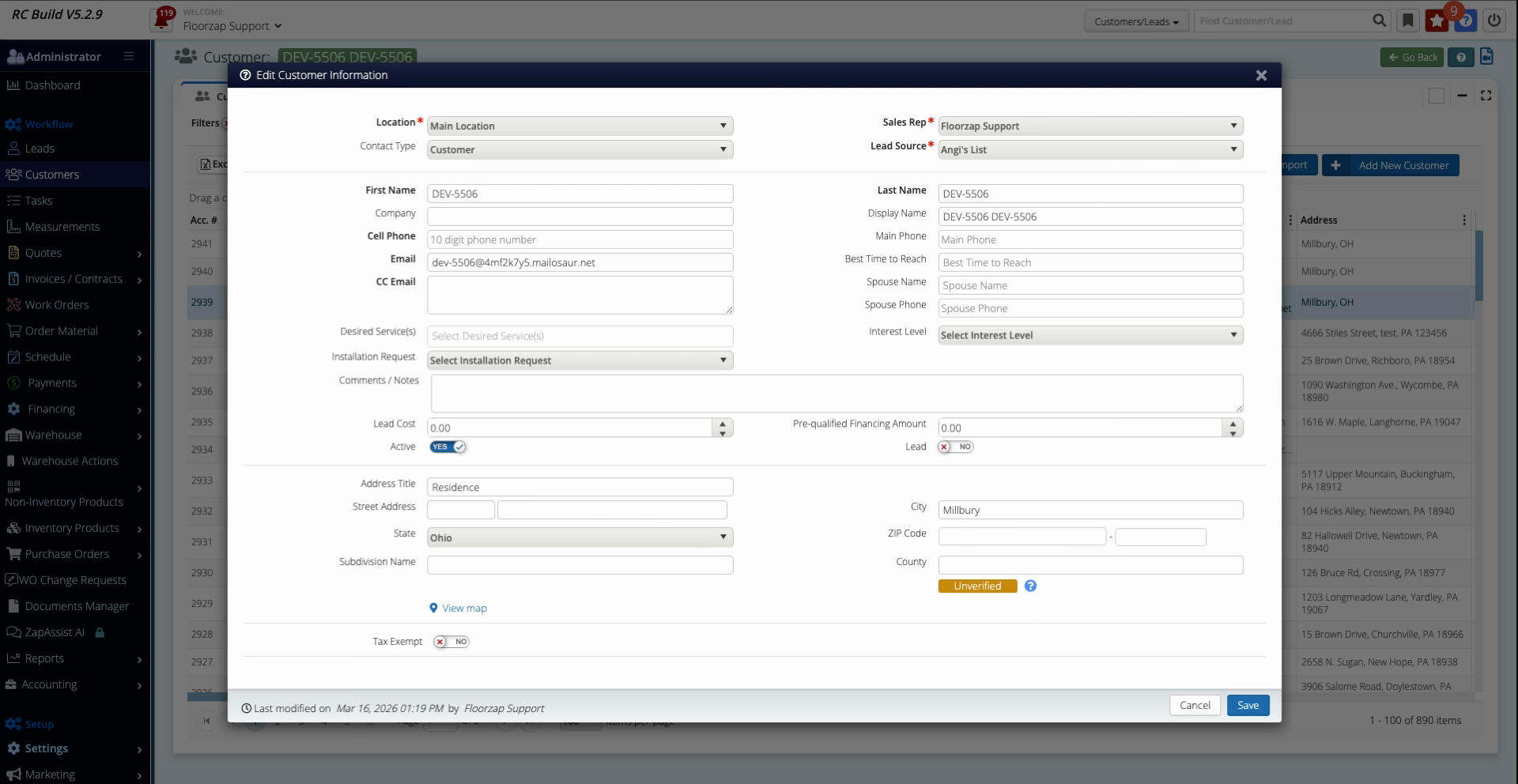
Now, your third-party tax software can access the full address and zip code, which ensures customers are charged the right tax rate.
Step 5: Compare with a customer profile that’s already set up correctly. Make sure both the Street Address and Zip Code are completed.
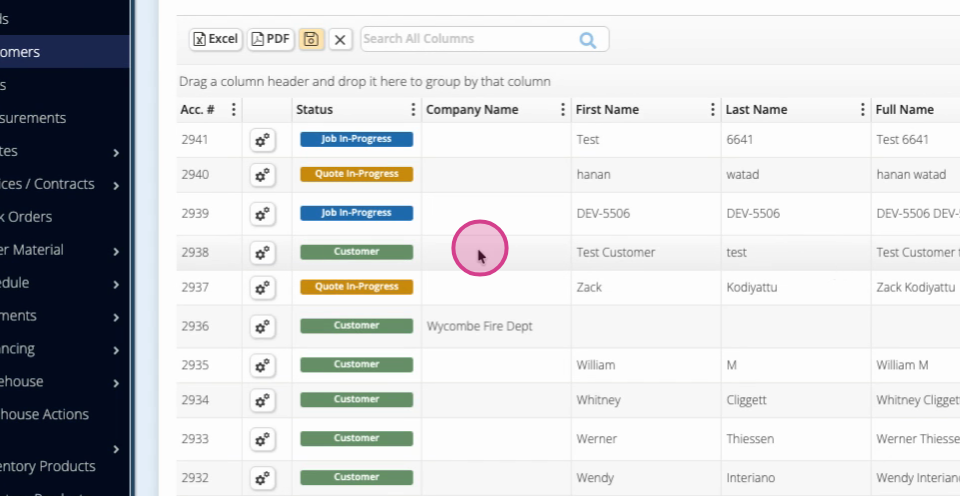
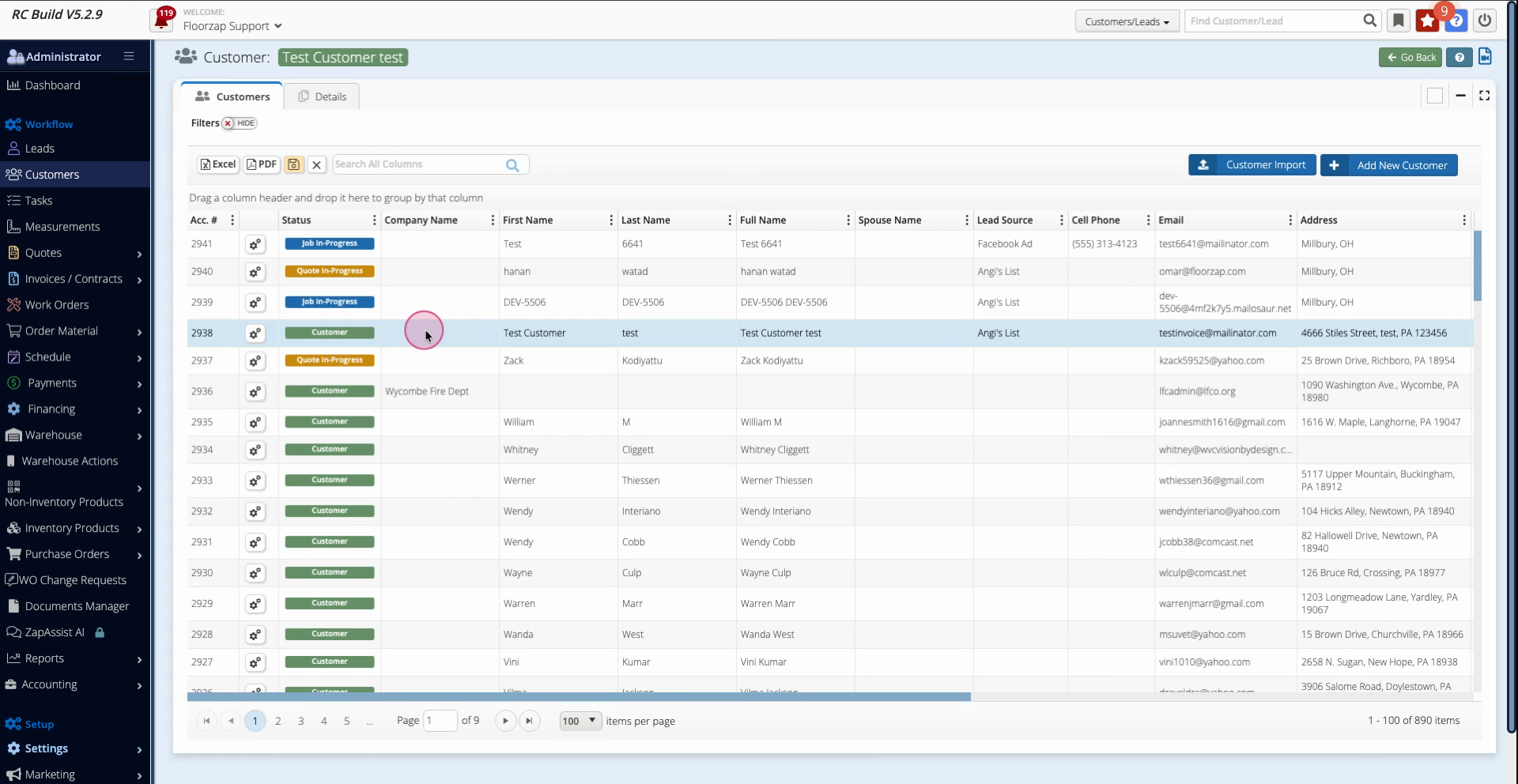
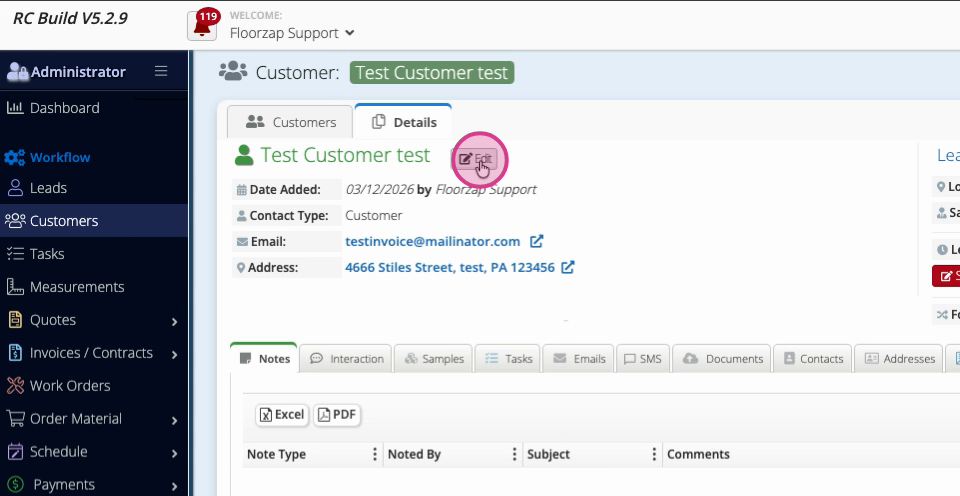
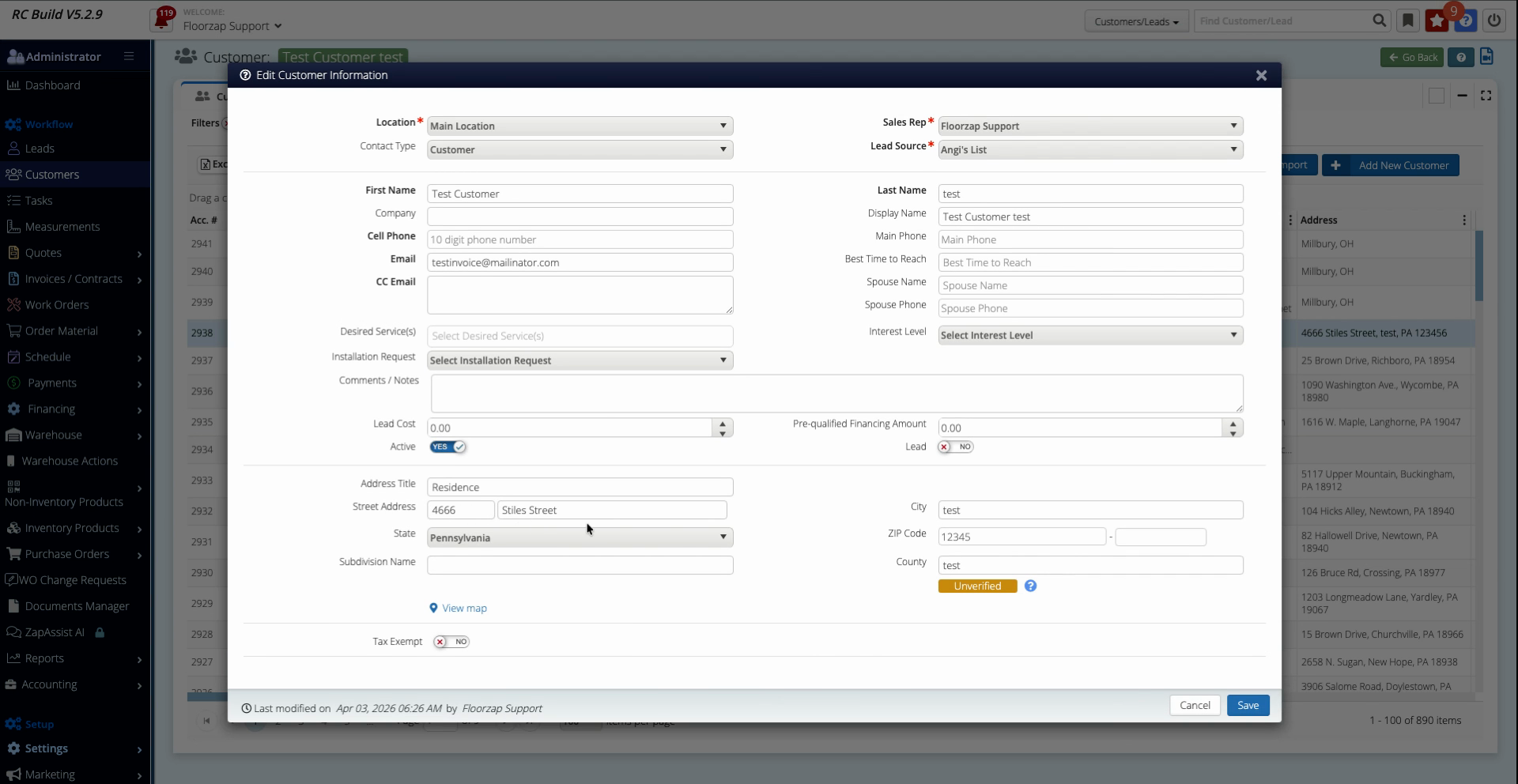
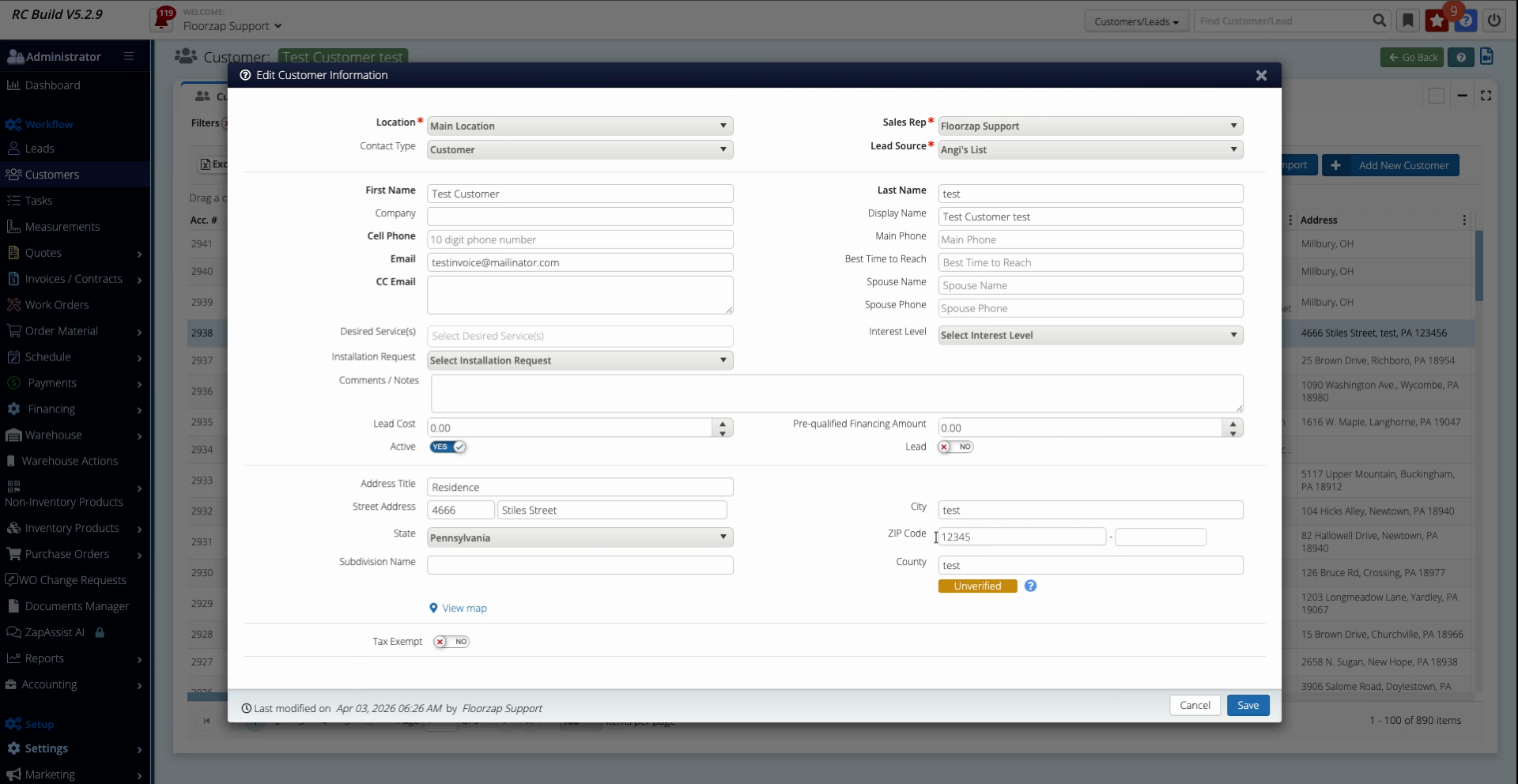
If both fields are filled, the tax software will have everything it needs to calculate taxes properly.
Taking a moment to review customer addresses helps prevent tax mistakes and keeps your records in top shape. Double-check these fields whenever you set up or update a customer to ensure smooth transactions.