
How to Control Appointment Visibility in the Contractor Schedule
Sometimes an installer might not see appointments on their schedule even though an admin has assigned them. Let’s walk through how the Show Schedule toggle controls appointment visibility for contractors.
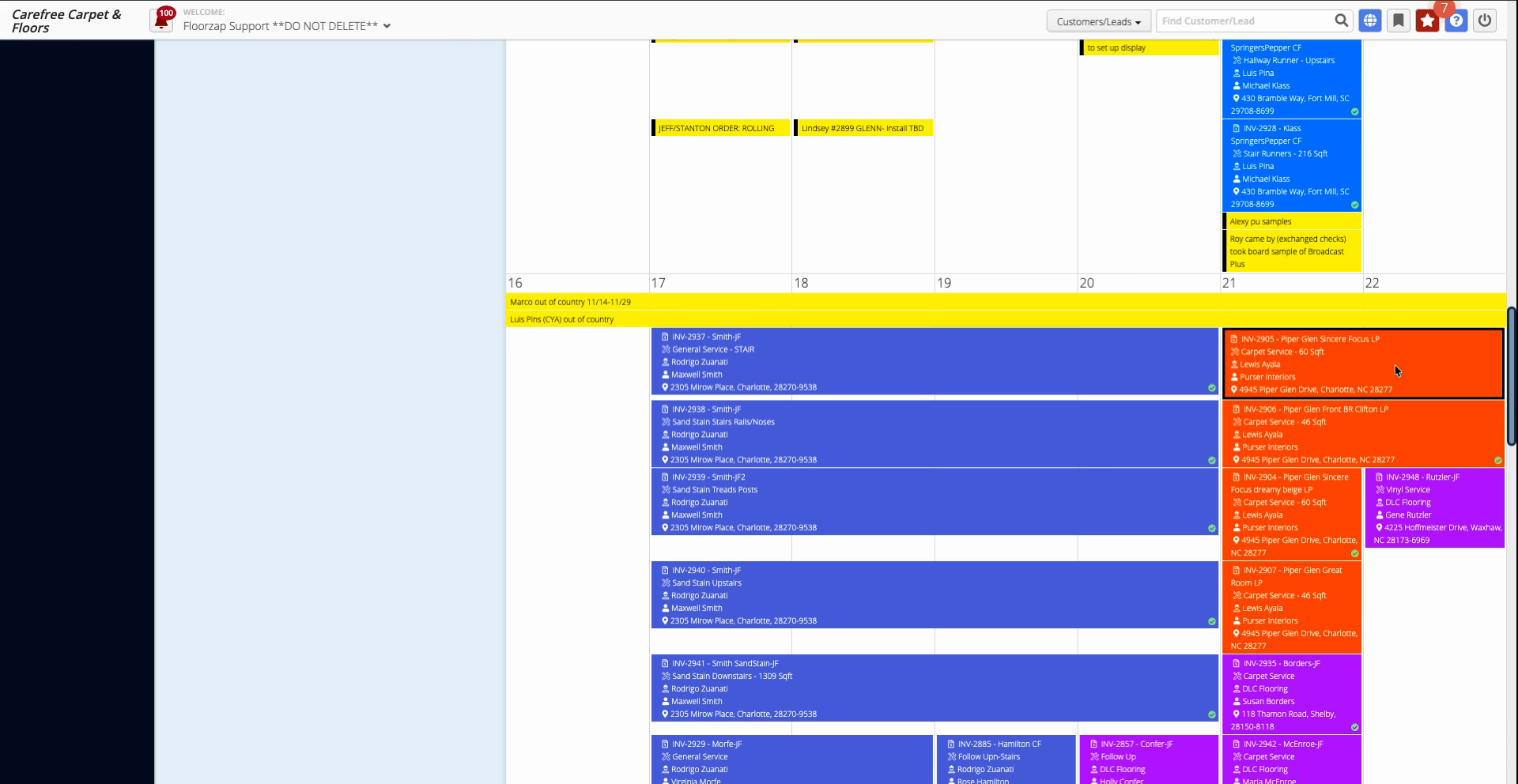
Step 1: Find the appointment in the admin schedule.
Step 2: Click the appointment to open its details window.
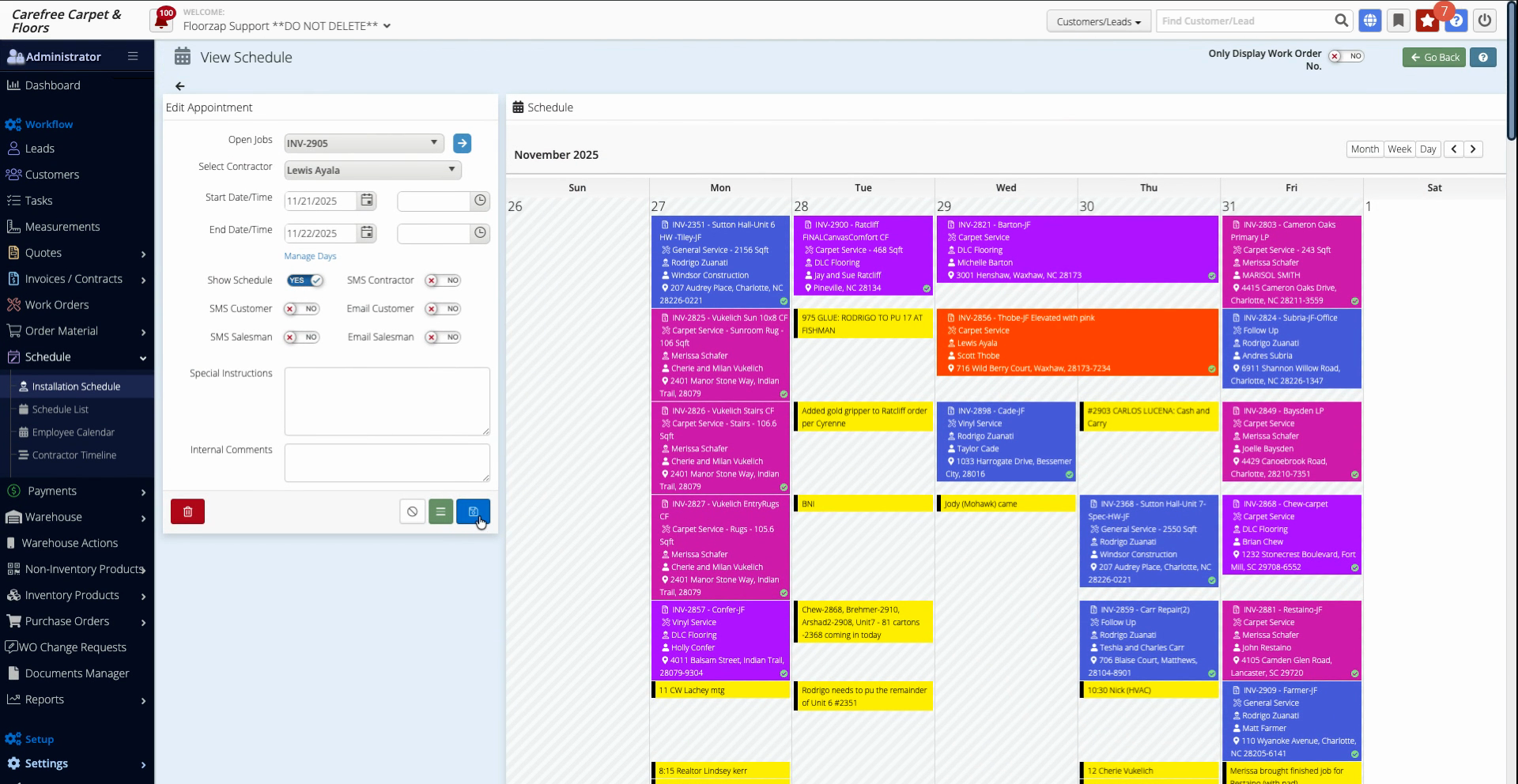
Step 3: Locate the Show Schedule option at the top left. If it’s not checked, the appointment won’t appear on the contractor’s schedule.
Step 4: If you want the contractor to see the appointment, check Show Schedule.
Step 5: Click Save to apply your changes.
Step 6: Impersonate the contractor or view their schedule to confirm the appointment now appears.
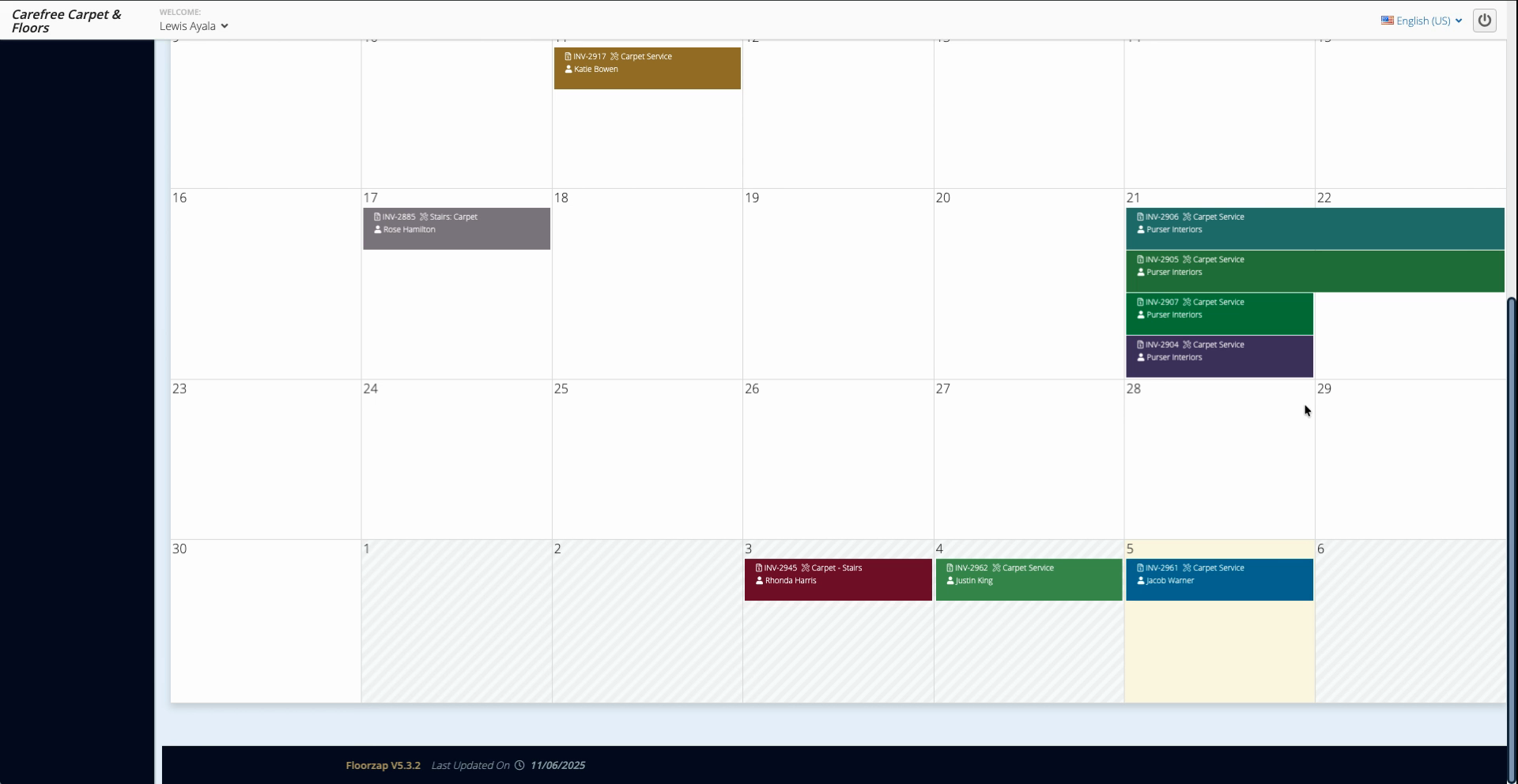
If you ever find appointments missing from a contractor’s view, check the Show Schedule toggle in the admin tool. Only appointments with this option enabled appear on the contractor side.
This setting ensures admins can easily control what contractors see. Use it to keep everyone informed and schedules accurate.