
By default, the GL will display all transactions for the current year in ascending date order.
As needed, the filters and search feature can be used to locate specific transactions.
How do I filter the General Ledger?
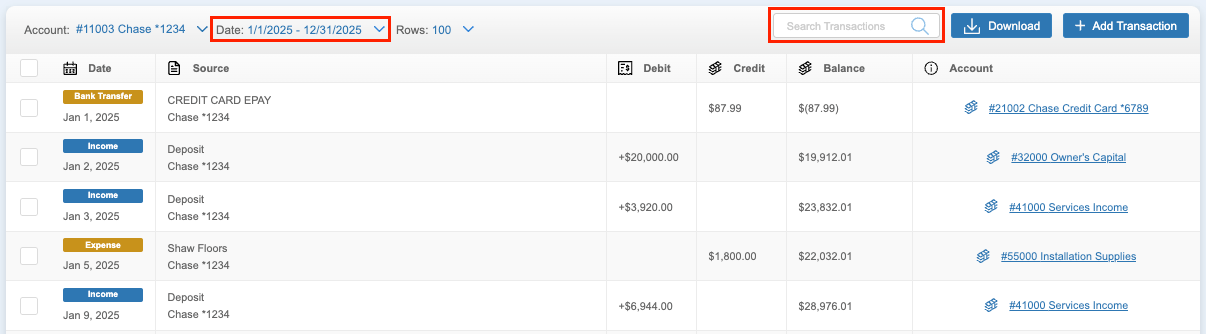
Filters along the top of the GL can be used to filter the transactions by Account, Date, and Rows.
What is the Account filter?
The Account filter can be used to select a specific GL account to view.
What is the Date filter?
The Date filter can be used to view transactions from a specific timeframe. These options include:
- Current Year - All from the current year.
- Past Year - All from the past year.
- Custom Range - All transactions from the custom timeframe that is set.
What is the Rows filter?
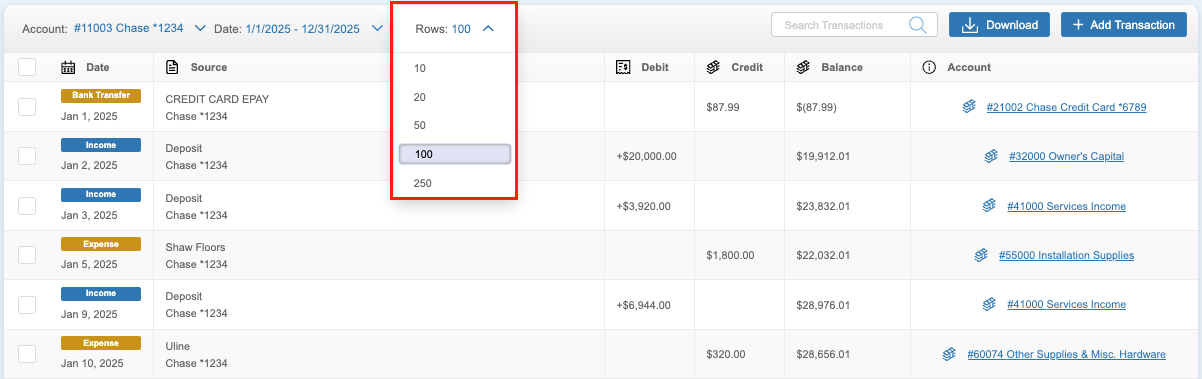
The Rows filter can be set to specify how many transactions are displayed on each page. These options range up to 250.
How do I search the General Ledger?
Use the search feature to find transactions by vendor, amount, or category. To locate specific transactions linked to a GL account, enter your search criteria in the search bar while viewing that account.