
To attach a receipt to an expense
- Navigate to the section Accounting > Transactions > Money Out
- Click on the expense that you’d like to attach a receipt to
- Click ‘Add a Receipt’
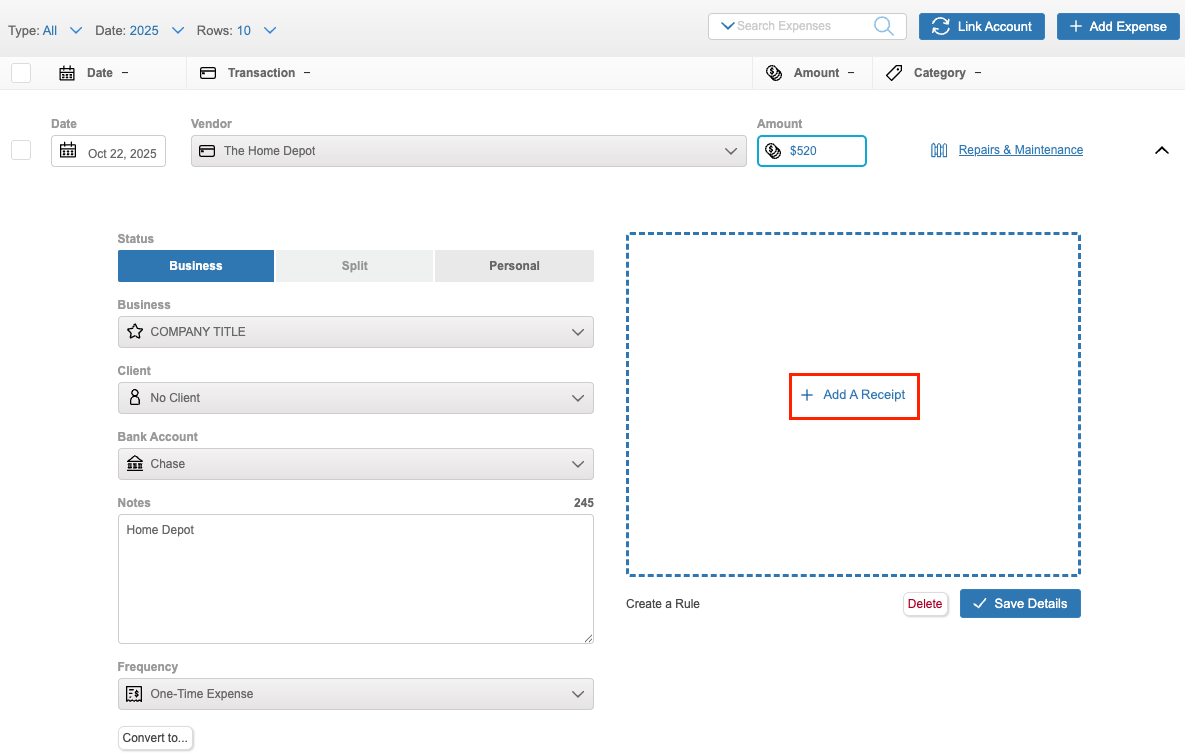
- Choose a file from your device
- Click ‘Save Details’
To delete or change a receipt that’s linked to an expense
- Navigate to the section Accounting > Transactions > Money Out
- Click on the expense to expand its details
- Select ‘Delete Receipt’
- You can then upload a new receipt or save your changes without adding a new receipt