
Easily Bulk Update Inventory Products from the Dashboard
Managing large product inventories doesn’t have to be tedious. The bulk update feature lets you quickly edit multiple items at once, saving time and ensuring consistency across your product list.
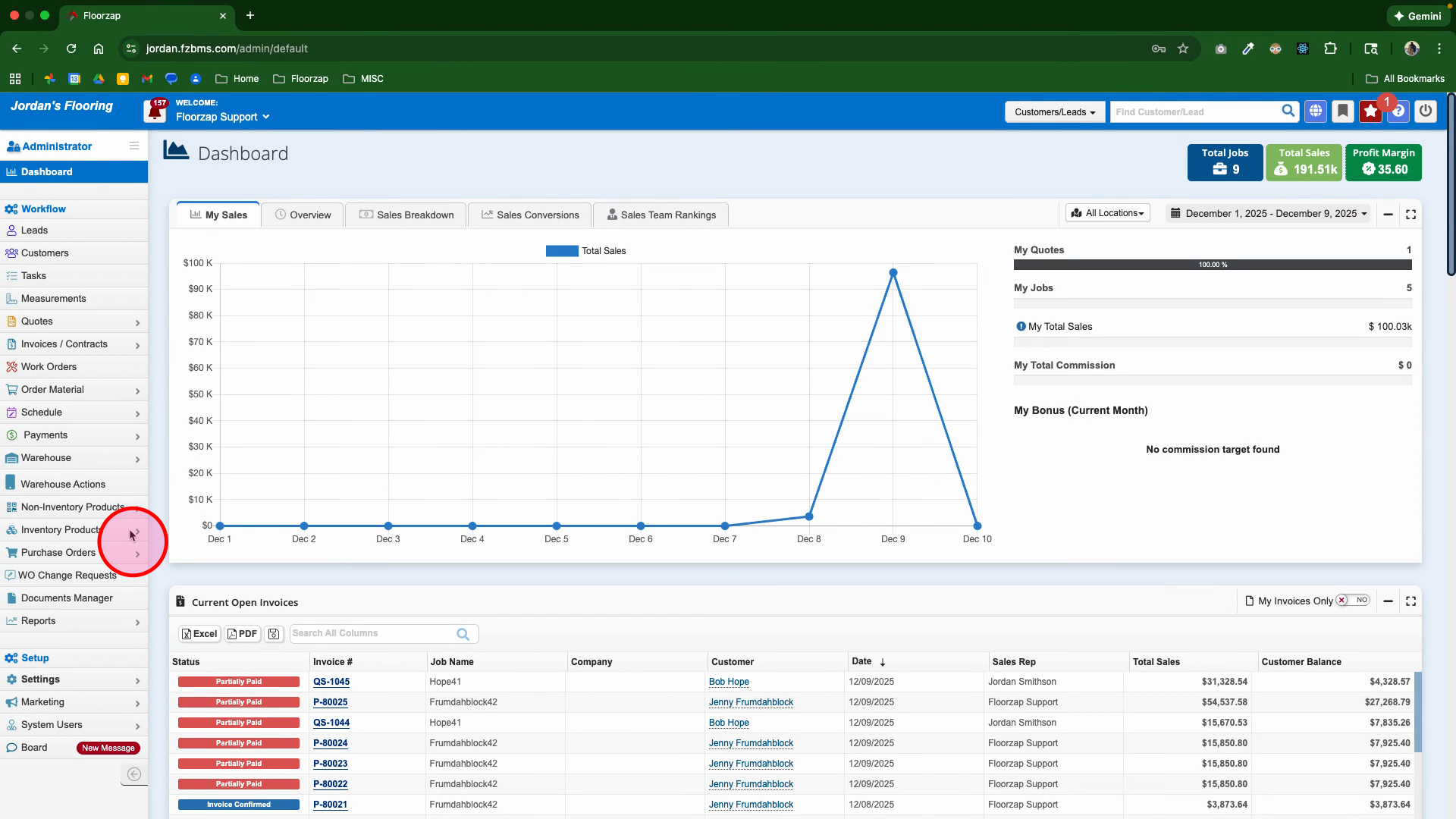
Step 1: Go to the Inventory Products section on the dashboard to see your product list.
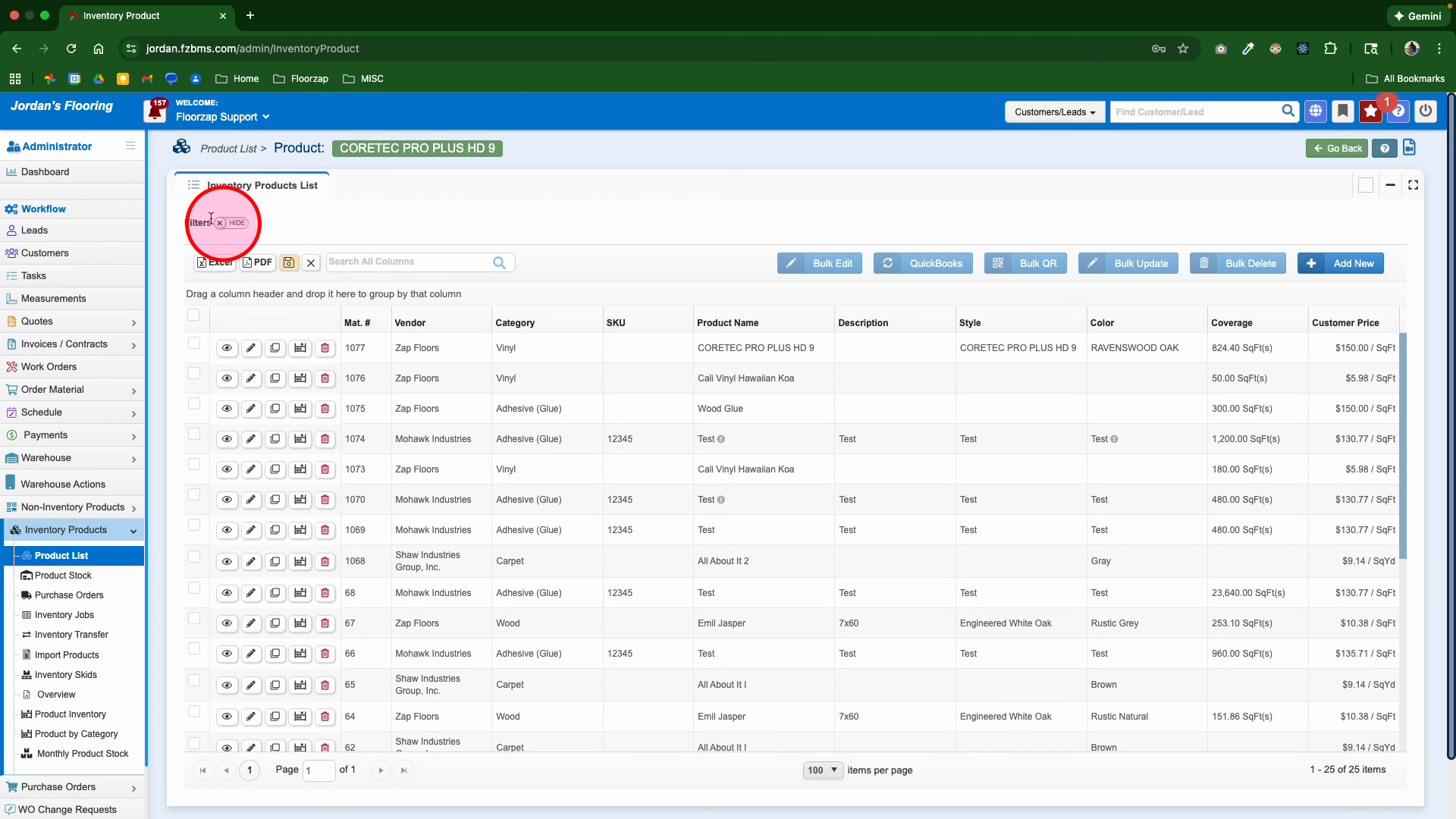
Step 2: Turn on Filters to narrow down your list. Pick a specific category for your updates.
Step 3: Select a category—like Carpet—to view products within that group.
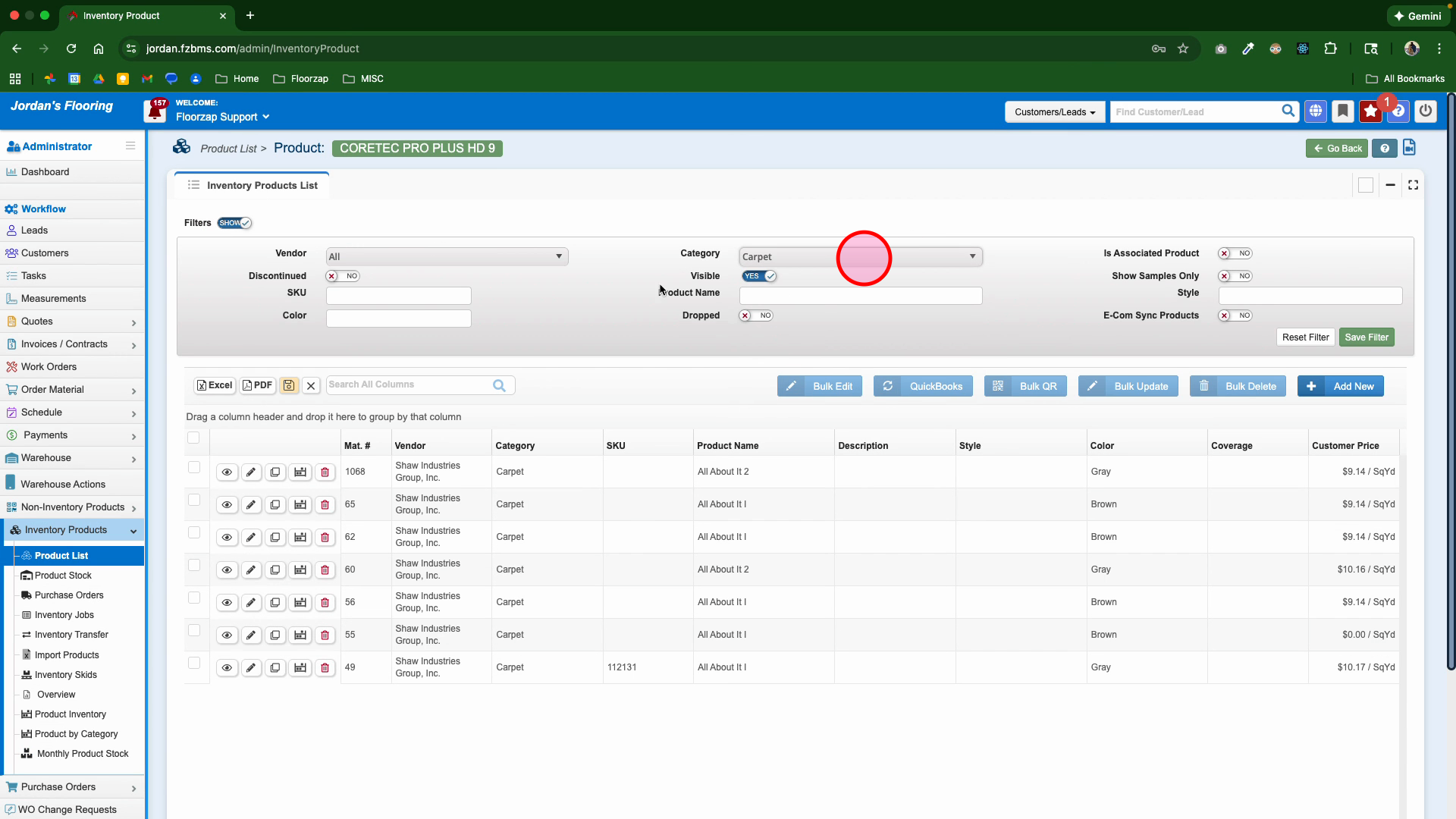
Step 4: Click the box at the top of the product list to select all displayed items for bulk editing.
Step 5: Edit any values you want to update across the selected products. For instance, set a new margin value, such as 50%.
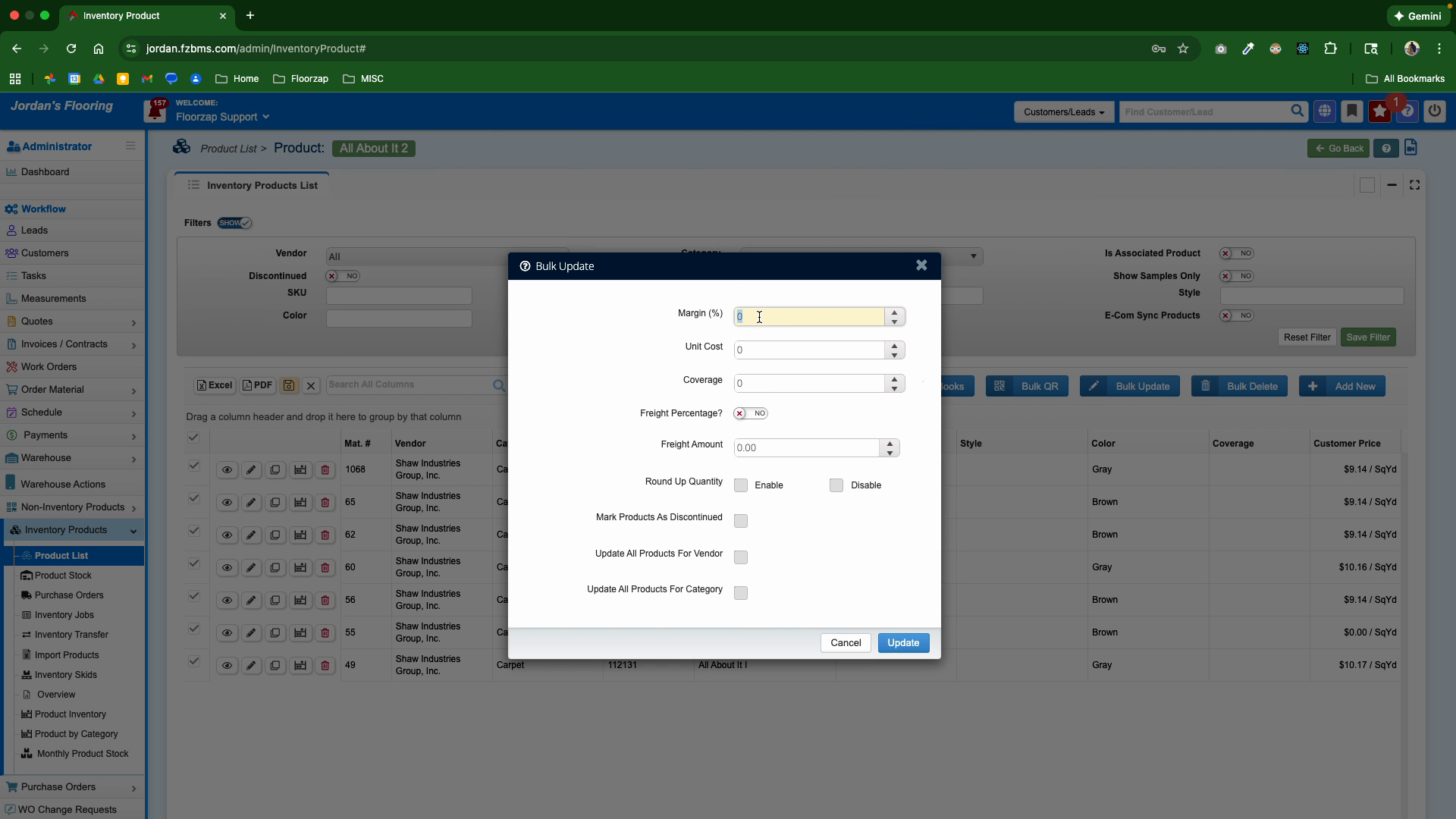
Step 6: Click Update to apply your changes to all selected products.
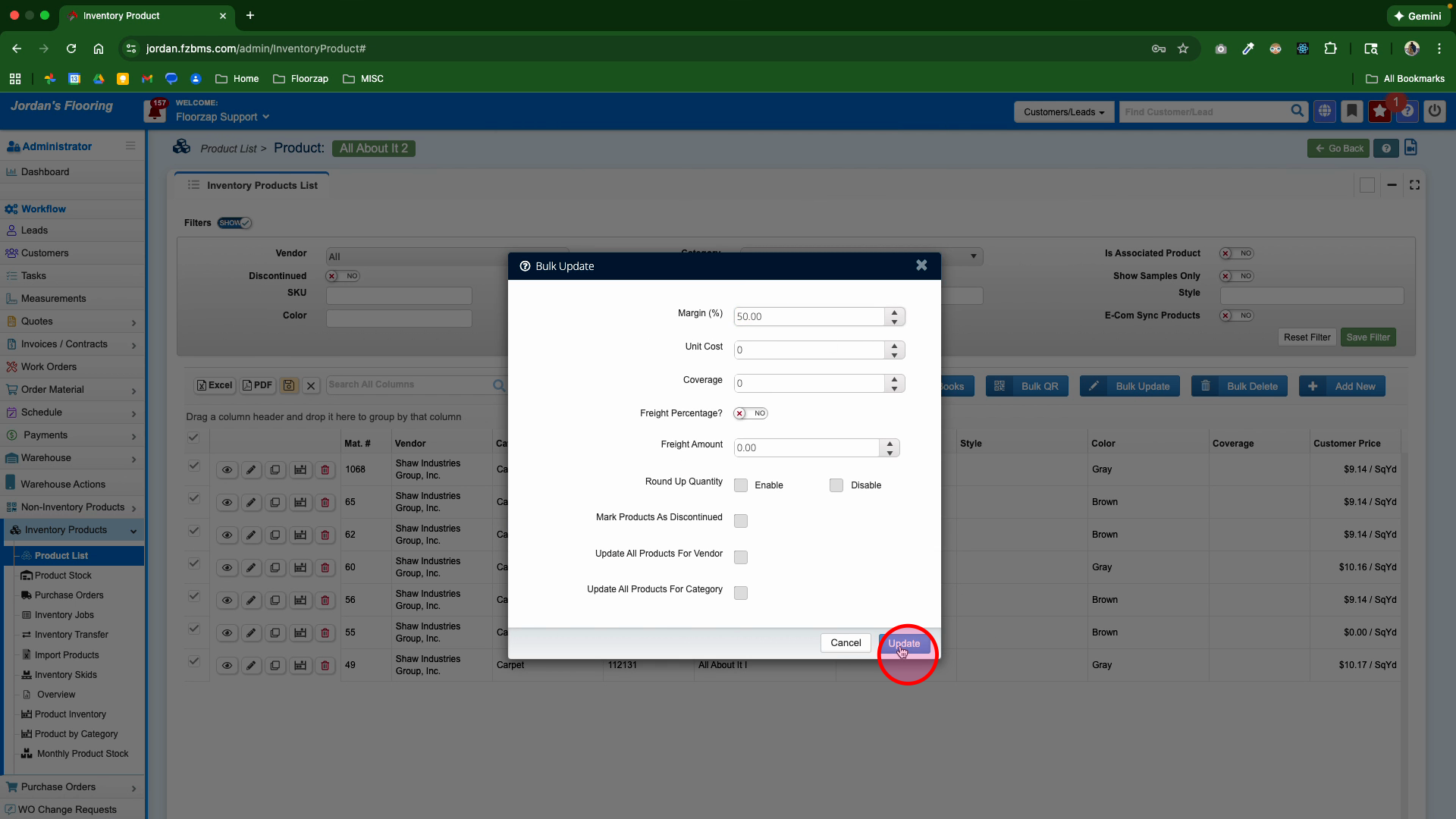
Your products are now updated in bulk by category. This streamlined process helps you keep your inventory accurate and up-to-date without manual edits one by one.